Geoceptor vs GeoSpoof: A Signal-by-Signal Comparison
Geoceptor and GeoSpoof both change your browser's reported location, but on a full fingerprint test GeoSpoof keeps every signal consistent while Geoceptor leaks several. In our runs Geoceptor exposed the real IP through WebRTC, ignored historical timezone offsets, returned wrong values from Date.getHours/setHours and the Date string methods, and failed on blob-URL, data-URL, and nested workers. GeoSpoof passed all of those. Both handled Intl formatting correctly.
Changing the location a website sees is the easy part. Any extension can set
navigator.geolocation to coordinates in Paris. The hard part is making every
other signal agree, because a site that catches one disagreement doesn't see
Paris — it sees someone pretending to be in Paris, which is worse than not
hiding at all.
So instead of comparing feature lists, we put Geoceptor and GeoSpoof through the same test: our own browser location test page, which probes the full stack of signals a real fingerprinting script would check. Same browser, same target location, same seven checks. Every screenshot below is a live result.
How the test works
The verify page doesn't just read back the location you set. It pulls
each signal independently — WebRTC, the timezone offset, individual Date
methods, locale formatting, and a set of exotic execution contexts — then checks
whether they tell the same story. A green result means the signals are
internally consistent. A red one means a site could spot the contradiction.
If you want to follow along, install either extension, set a location, and open the test yourself. Nothing here is hand-picked; it's just what the page returns.
1. The overview
First, the top-level verdict with each extension active and spoofing to the same location.
GeoSpoof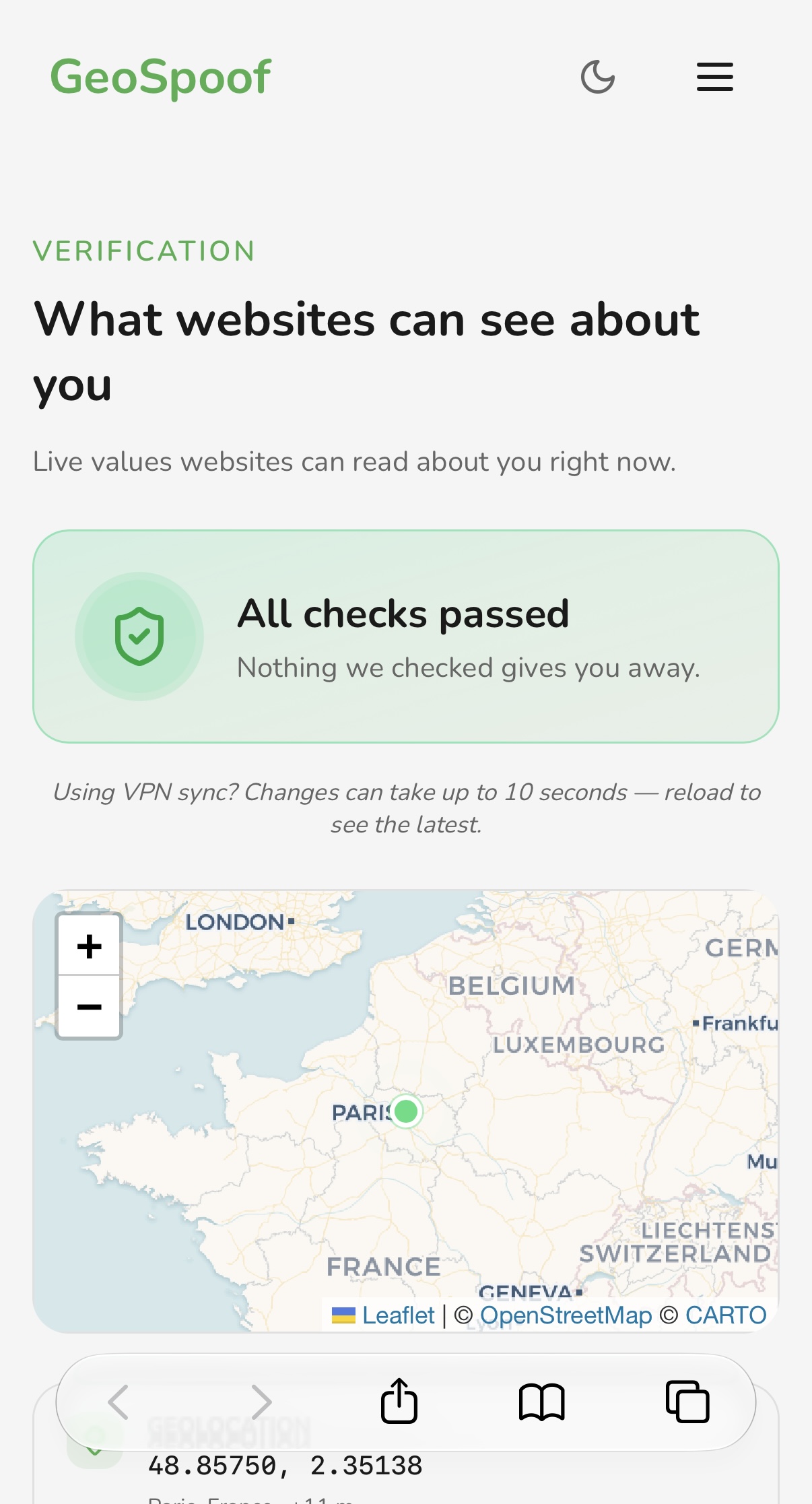 Geoceptor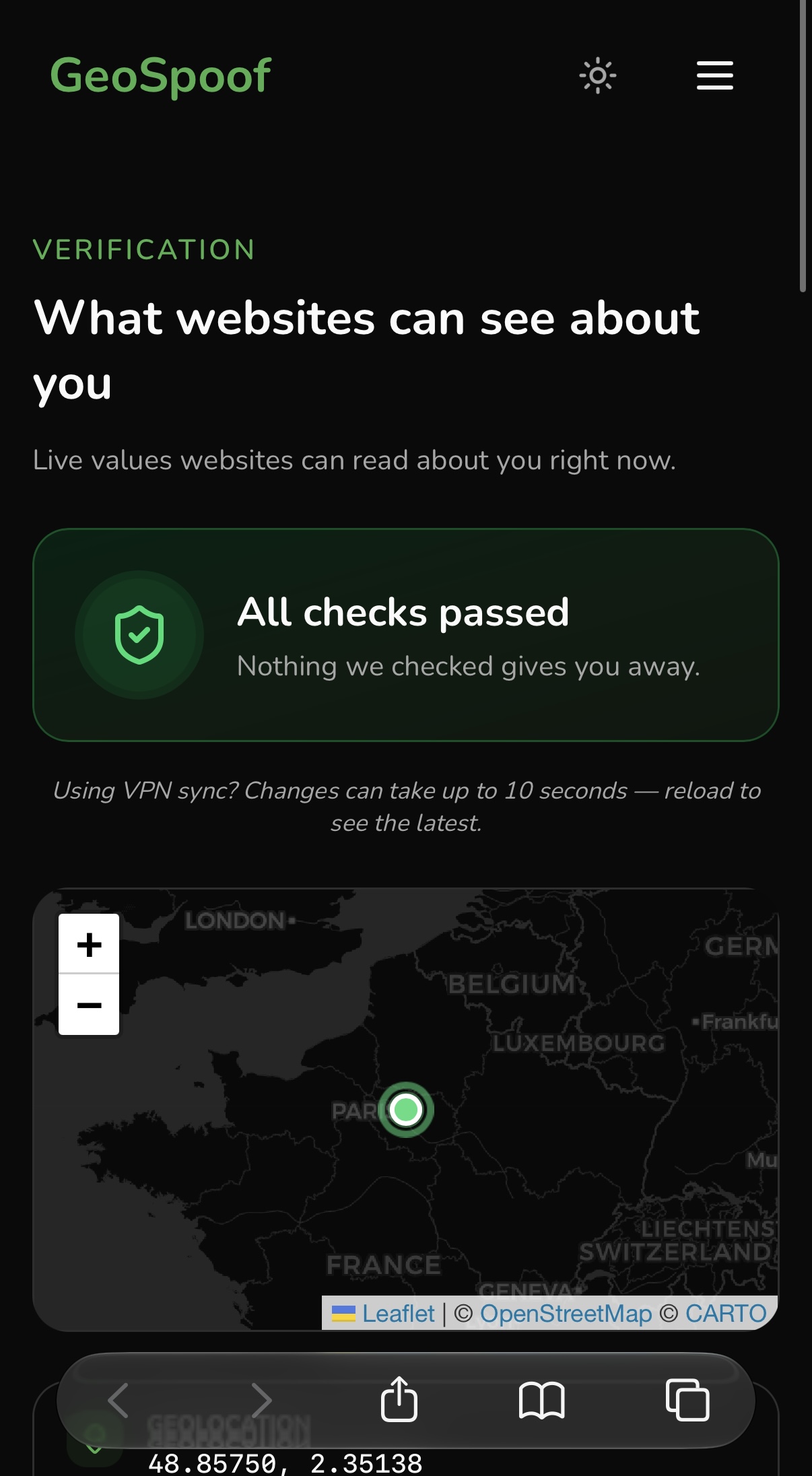
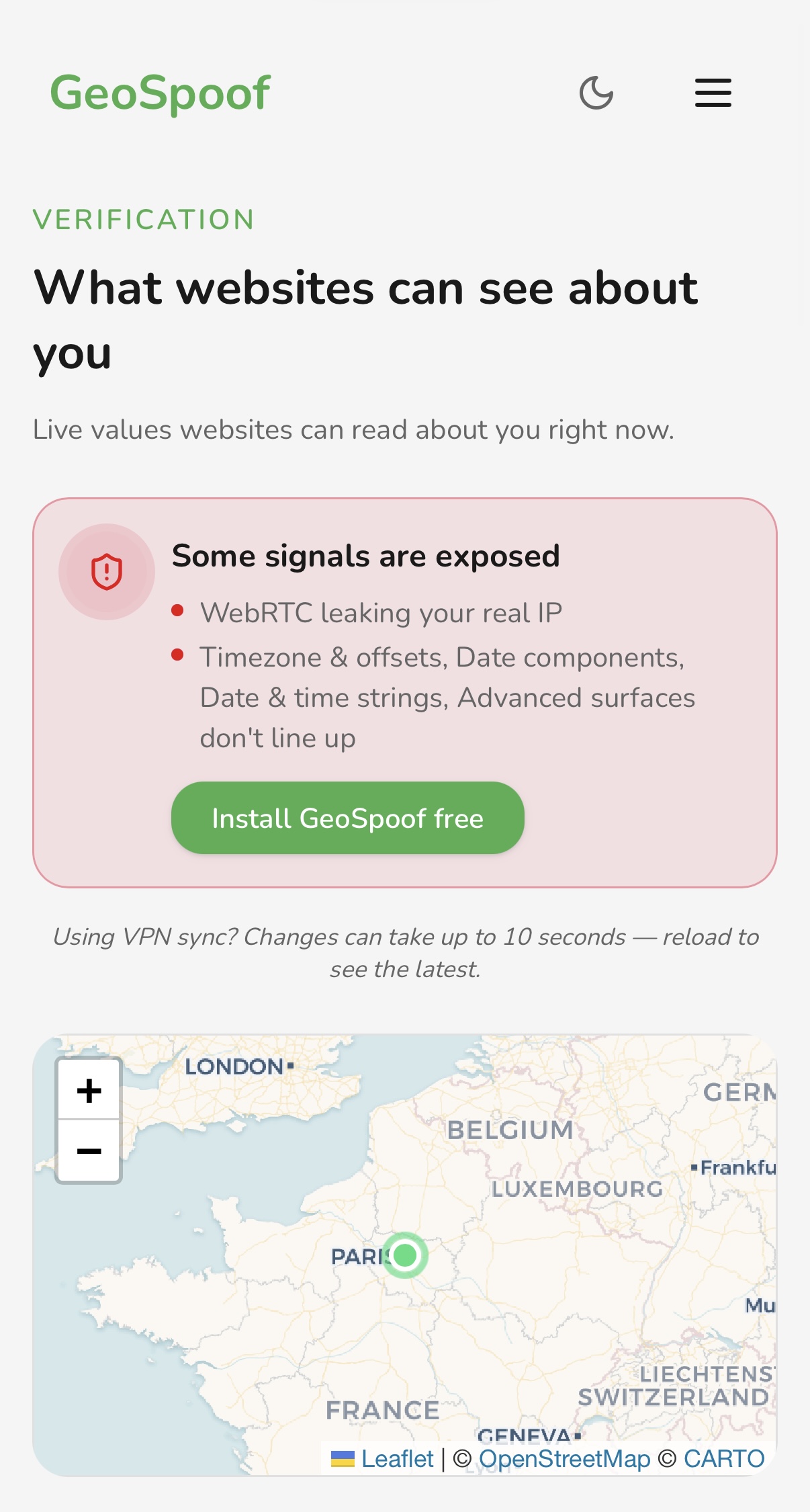 GeoSpoof comes back clean; Geoceptor leaves several signals exposed.
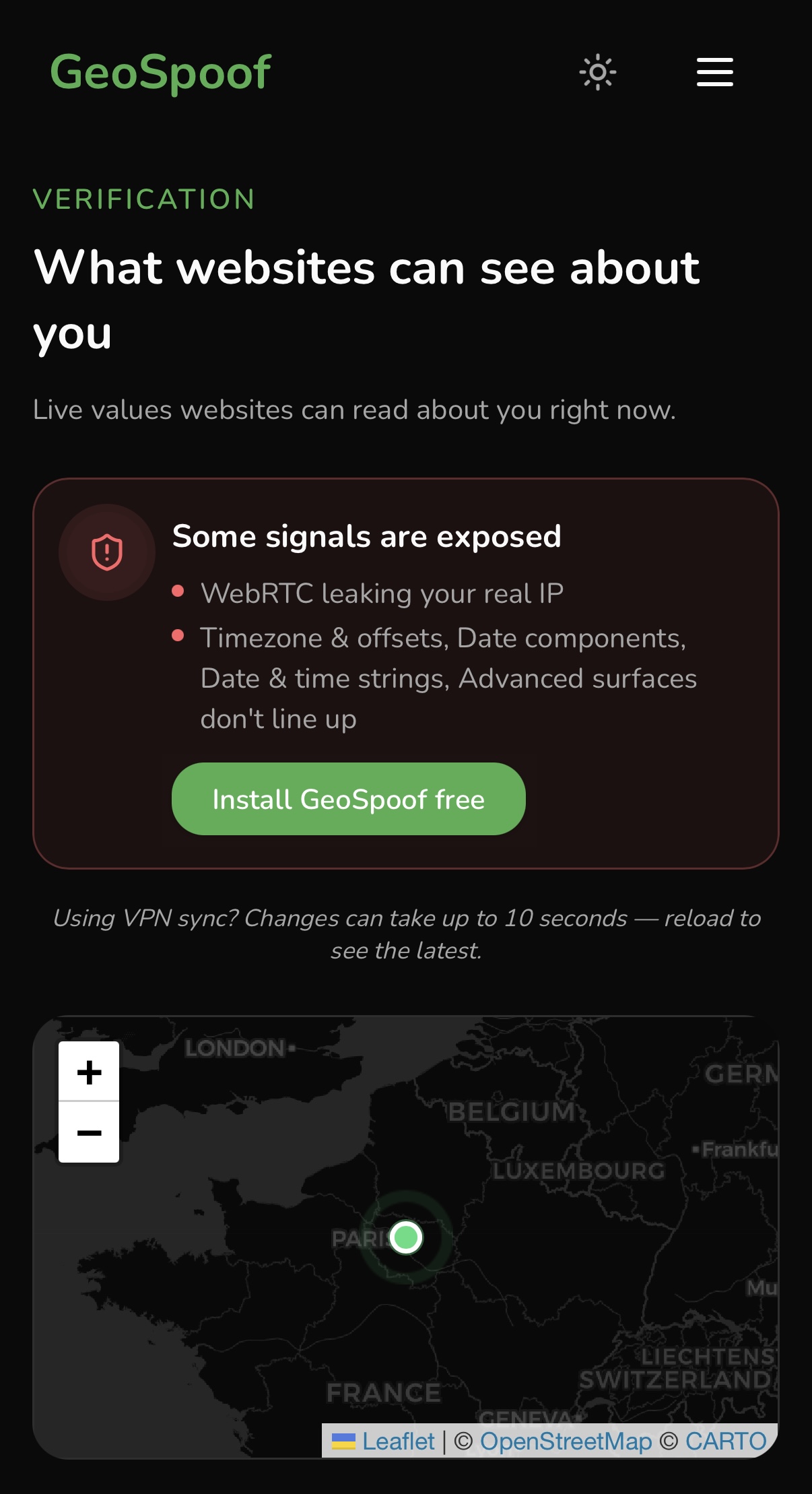
Geoceptor moves the location, but the summary flags exposed signals across
WebRTC, the timezone offsets, Date components, date and time strings, and the
advanced surfaces. GeoSpoof reports a clean, consistent result. The rest of the
post is just walking through why — one signal at a time.
2. WebRTC
WebRTC is the leak that bypasses VPNs, and it's the one that matters most: it can hand a site your real public IP directly, regardless of what your geolocation says.
GeoSpoof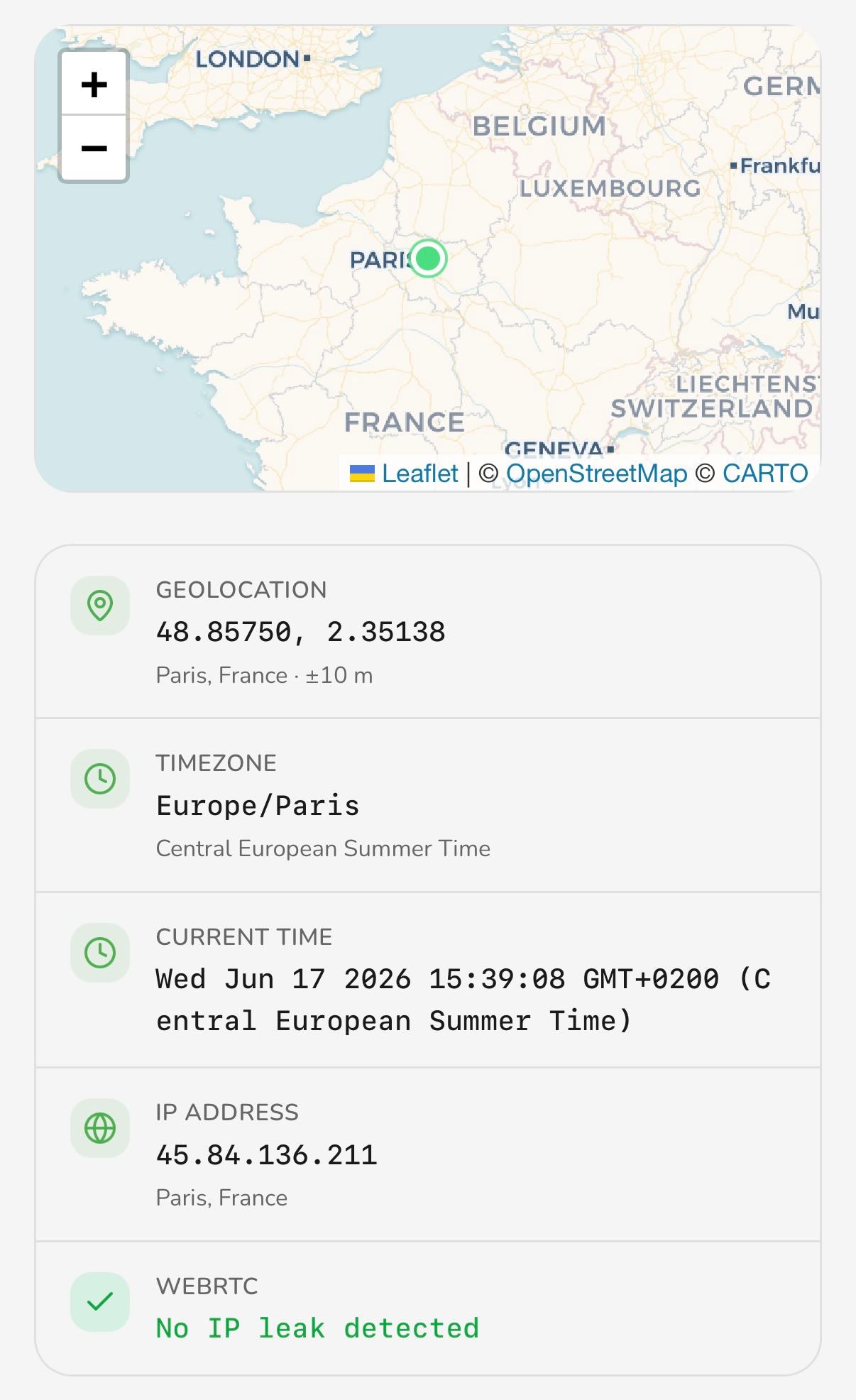 Geoceptor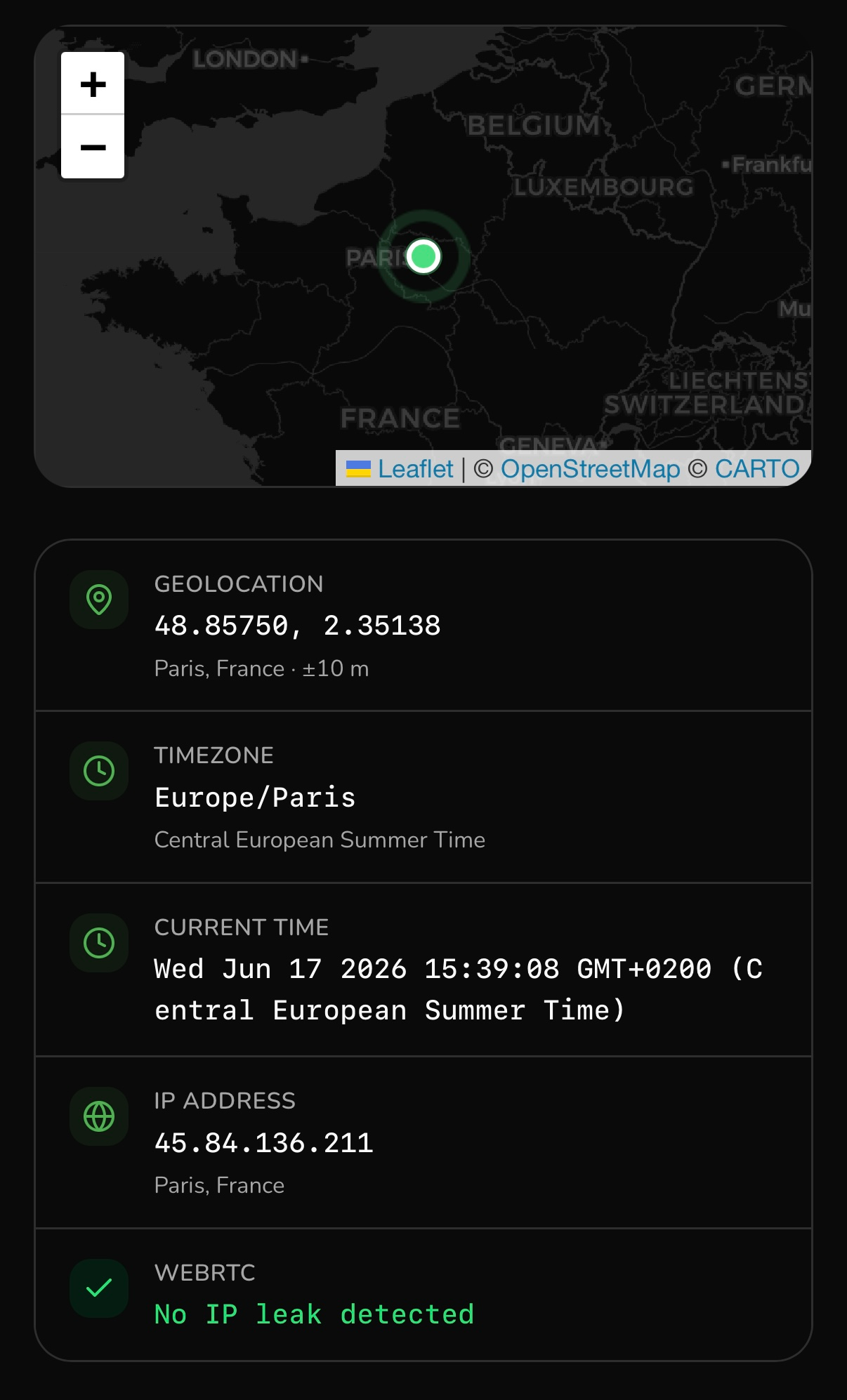
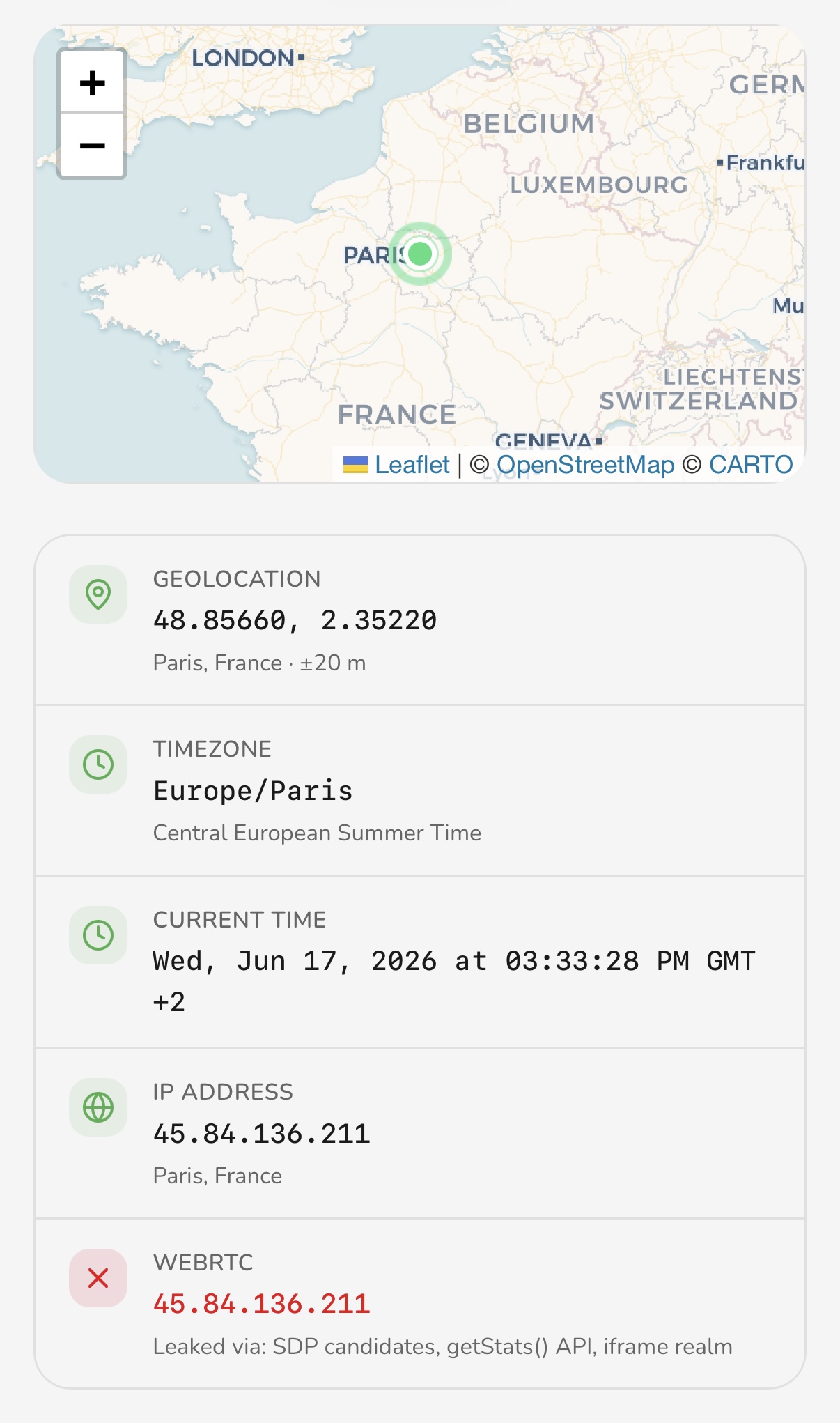 GeoSpoof patches WebRTC; Geoceptor doesn't protect it.
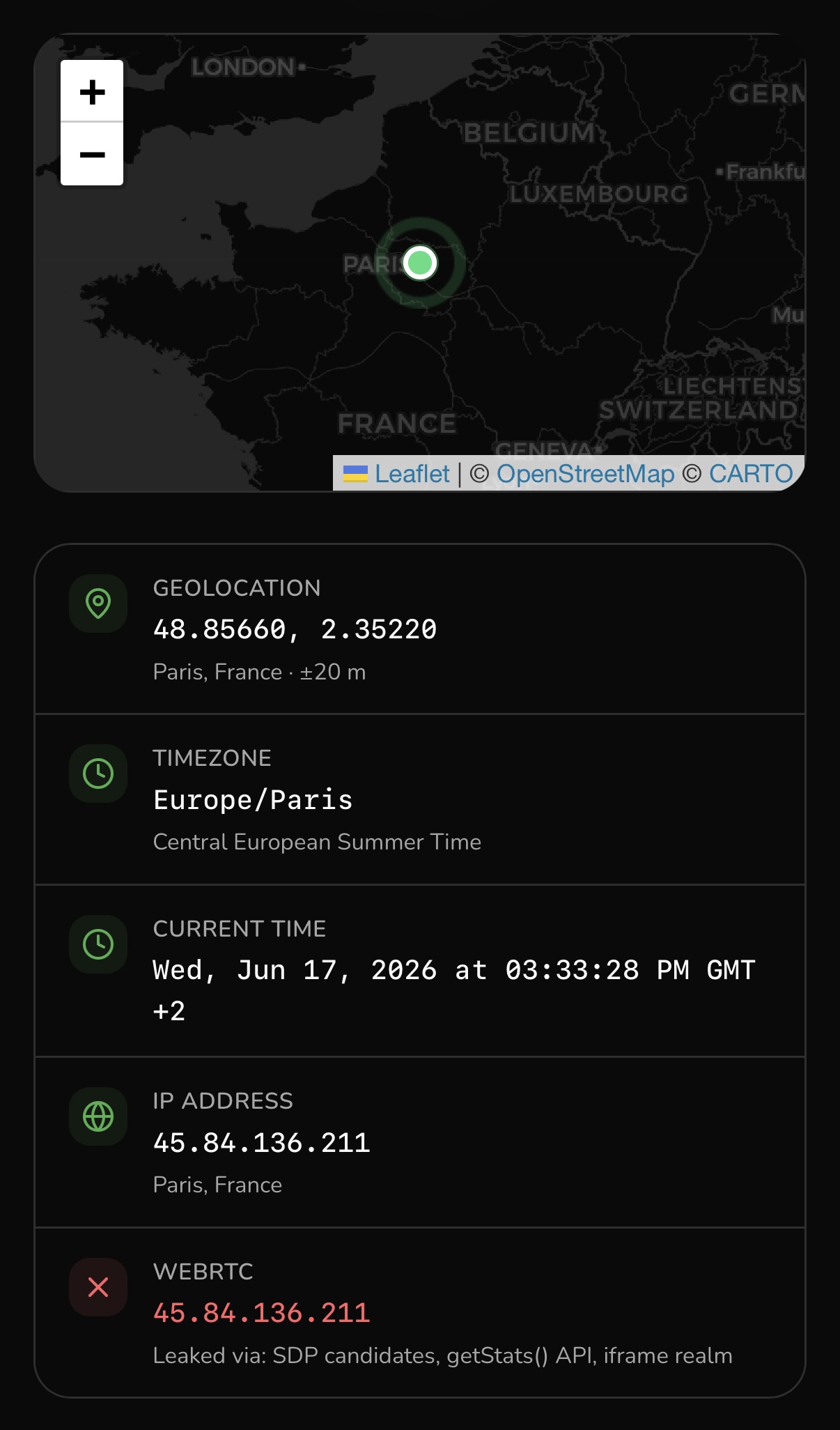
Geoceptor leaves WebRTC untouched, so the real IP surfaces. A spoofed geolocation pointing at one country while WebRTC quietly reports an IP in another is exactly the kind of contradiction fingerprinting systems live for. GeoSpoof closes the surface so there's nothing to cross-check against.
3. Timezone and offsets
Setting the timezone name is easy. The trap is the offset, and specifically historical offsets — the UTC offset for a zone isn't constant, because daylight saving rules have changed over the years. A correct spoof has to return the right offset for any date, not just today.
GeoSpoof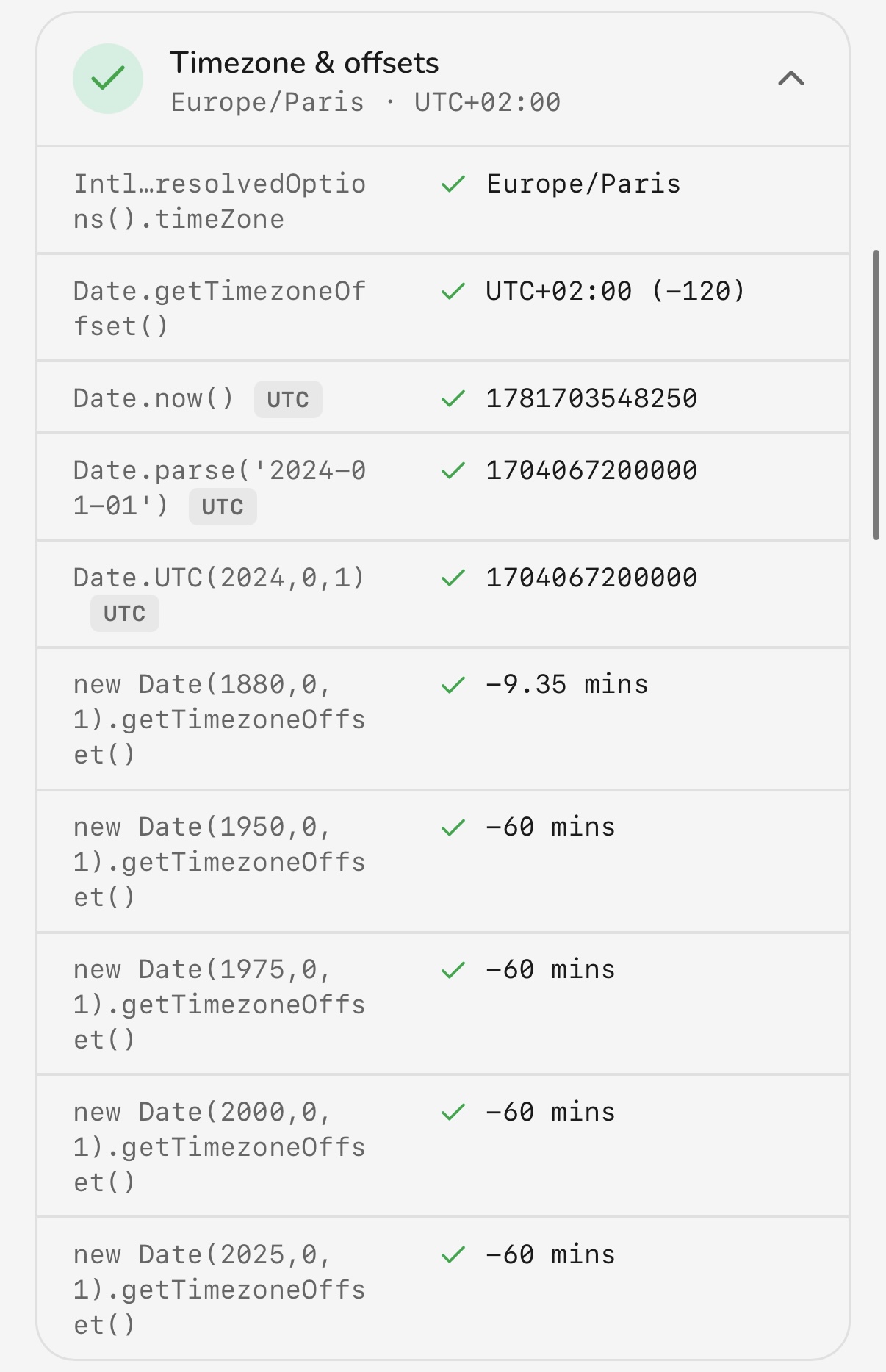 Geoceptor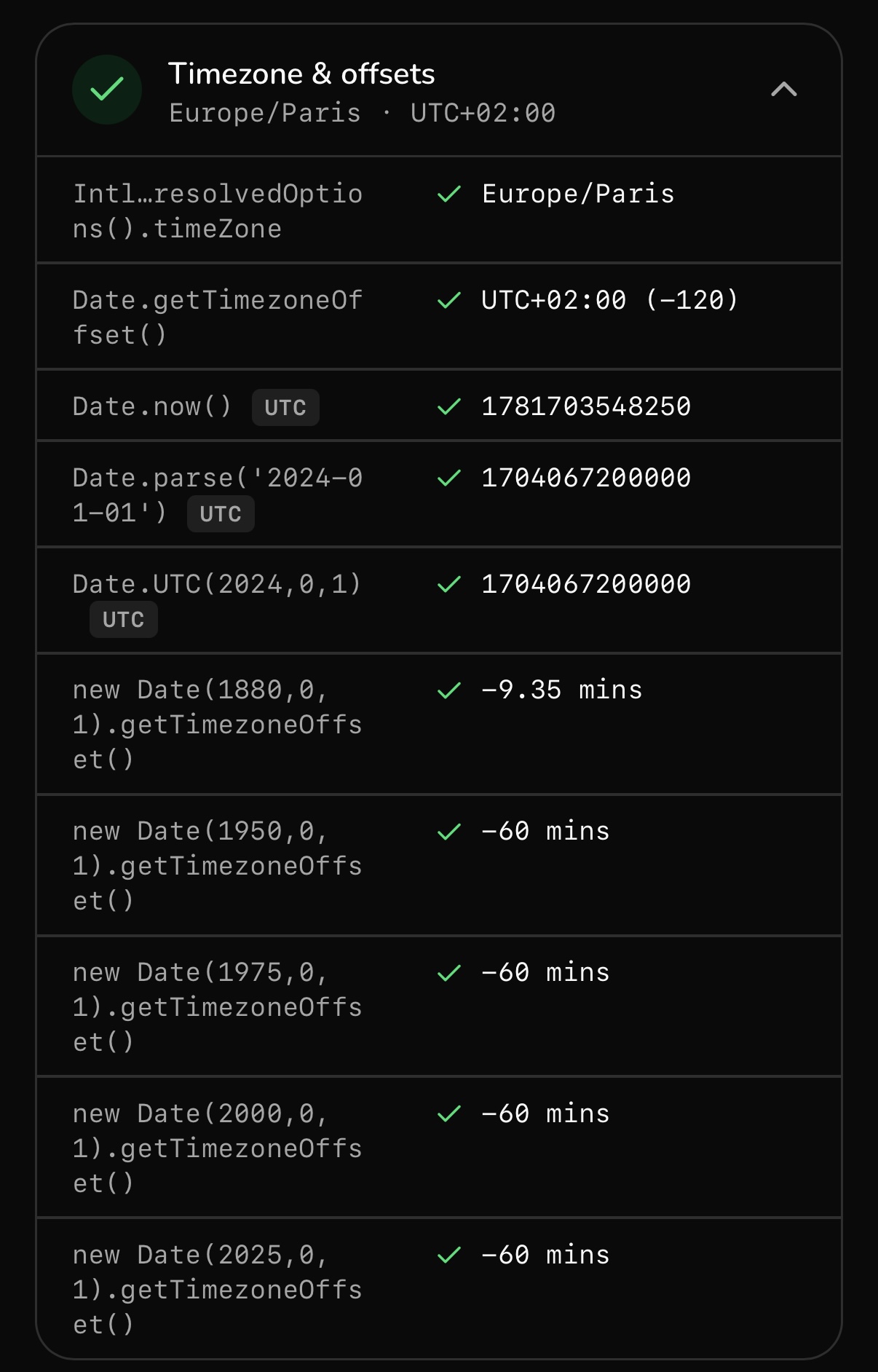
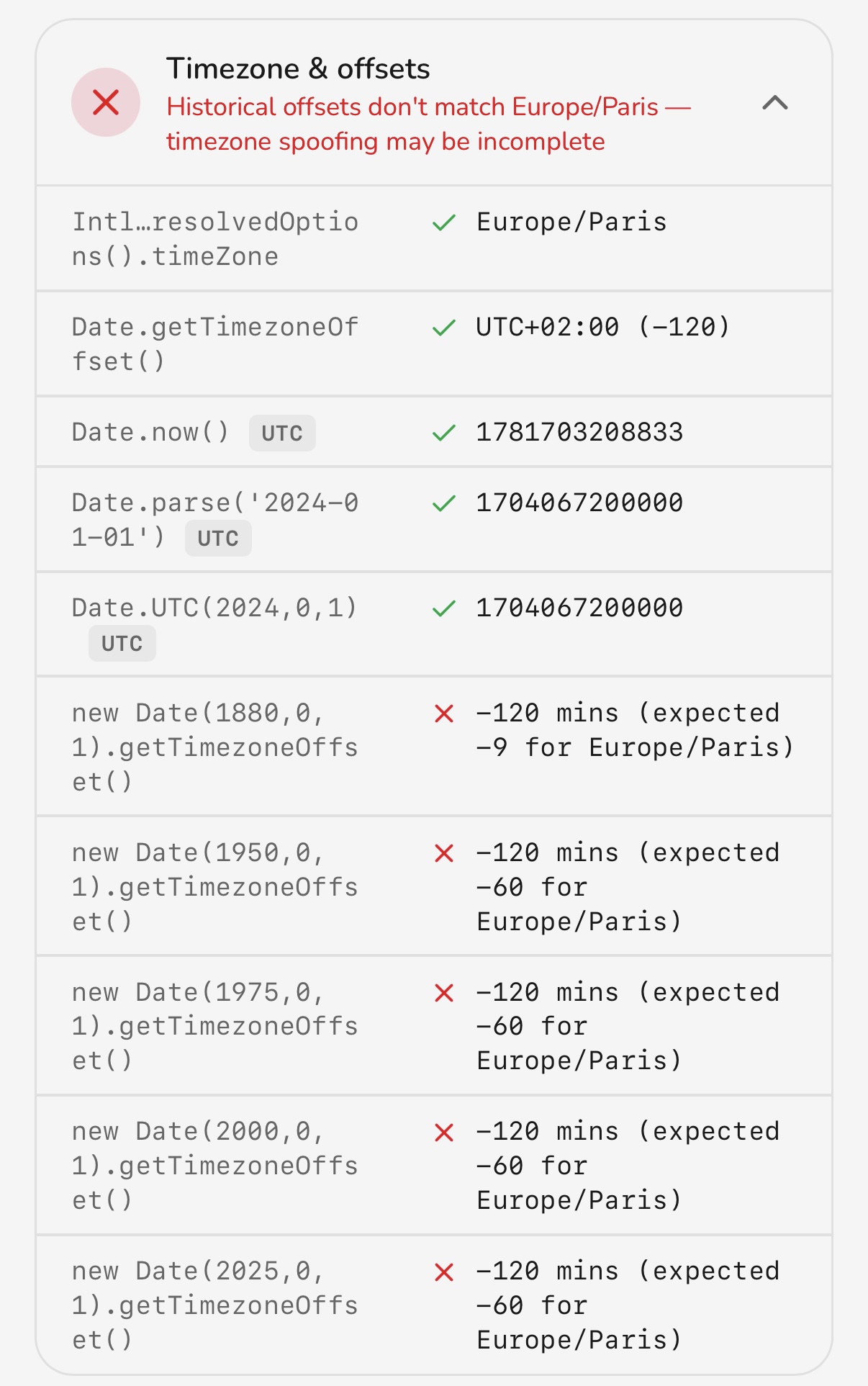 GeoSpoof gets every date right; Geoceptor sets the zone but mishandles historical offsets.
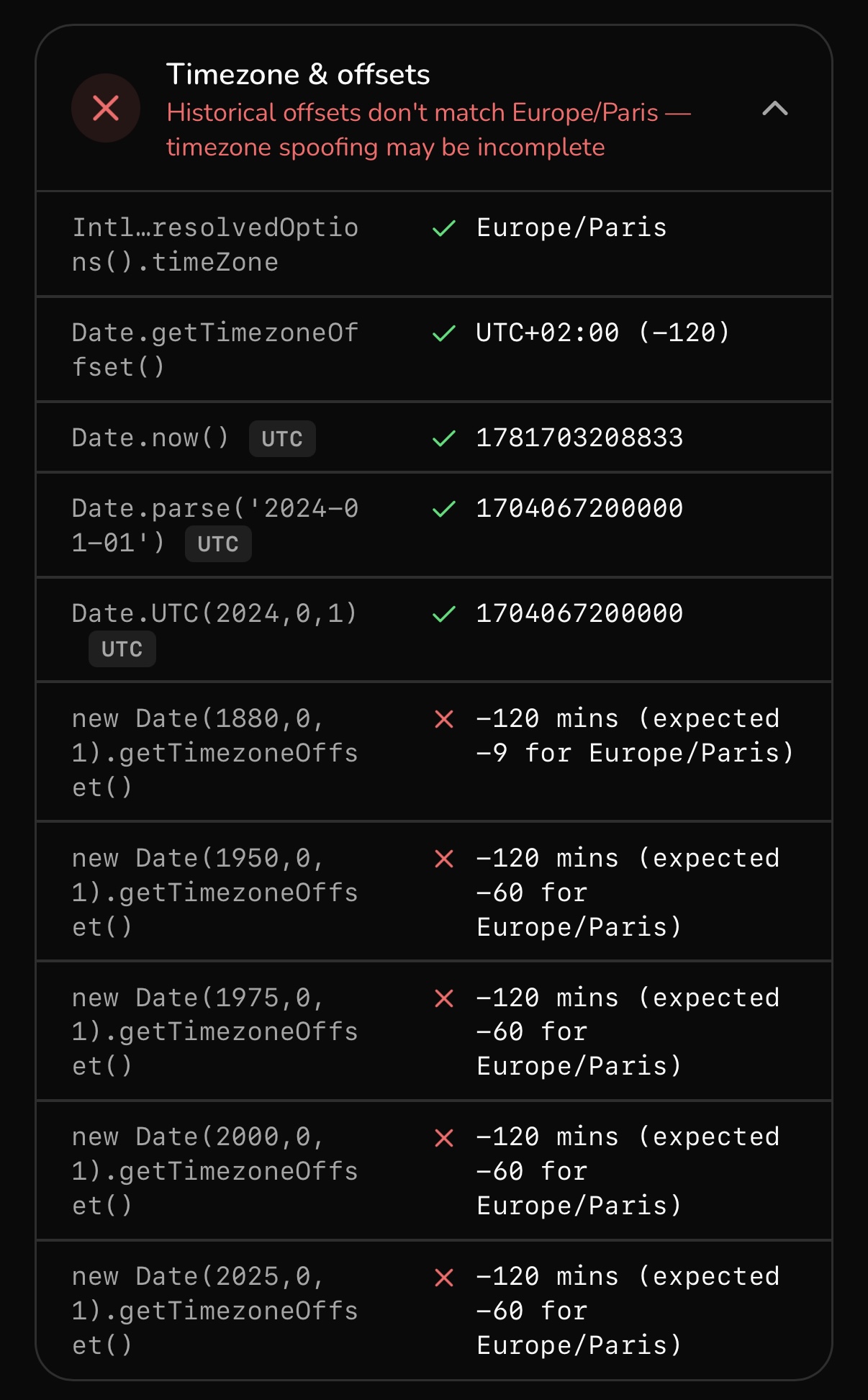
Geoceptor changes the timezone correctly for the present, but doesn't account
for historical offsets, so a Date constructed for a past year reports an offset
that doesn't match the zone it claims. GeoSpoof computes the offset from the
zone's full history, so it stays consistent no matter which date a script picks.
4. Date components
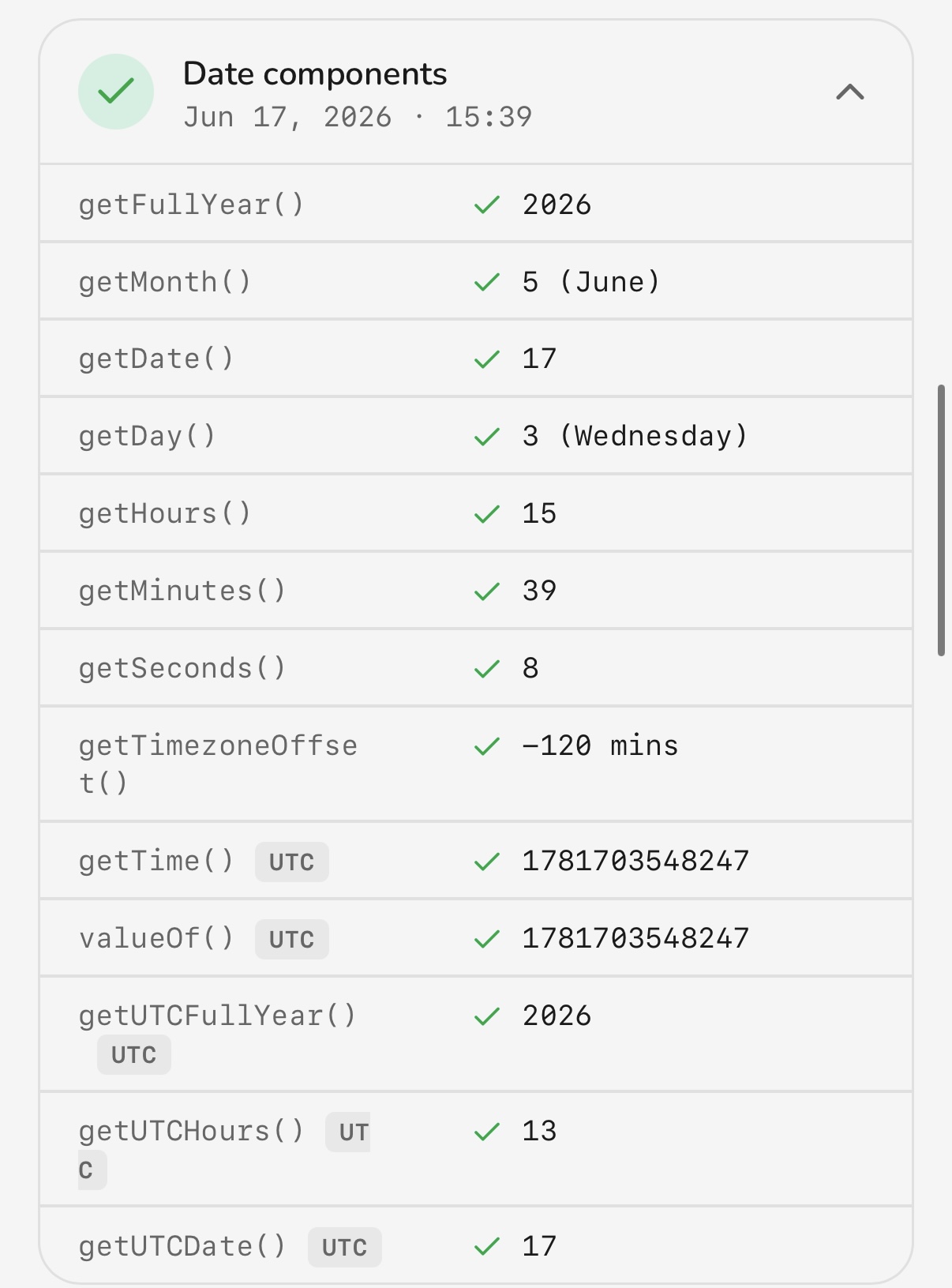
Scripts can read the clock through individual Date methods like getHours()
and write to it with setHours(). These have to reflect the spoofed timezone,
and they have to round-trip correctly.
 Geoceptor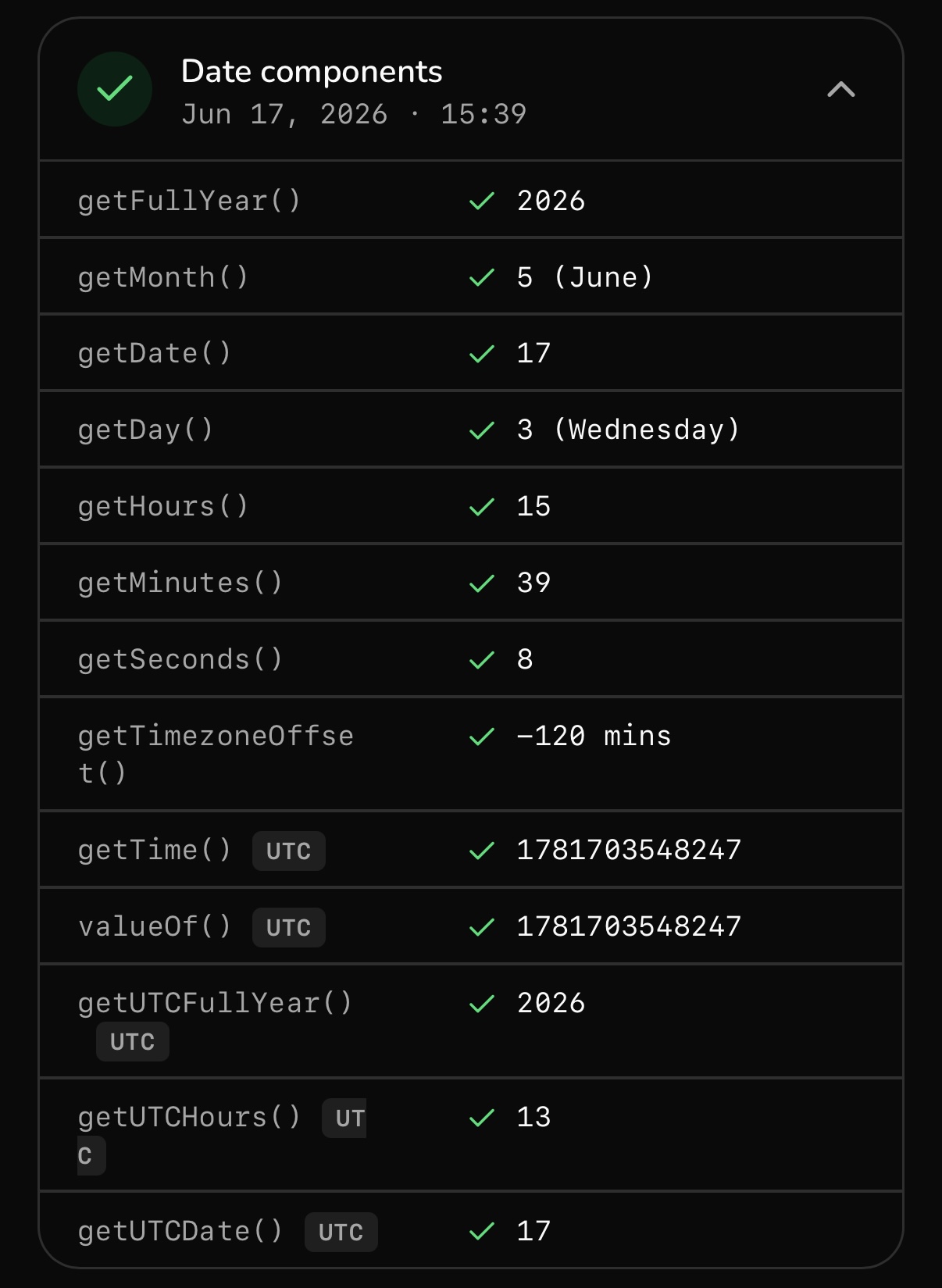
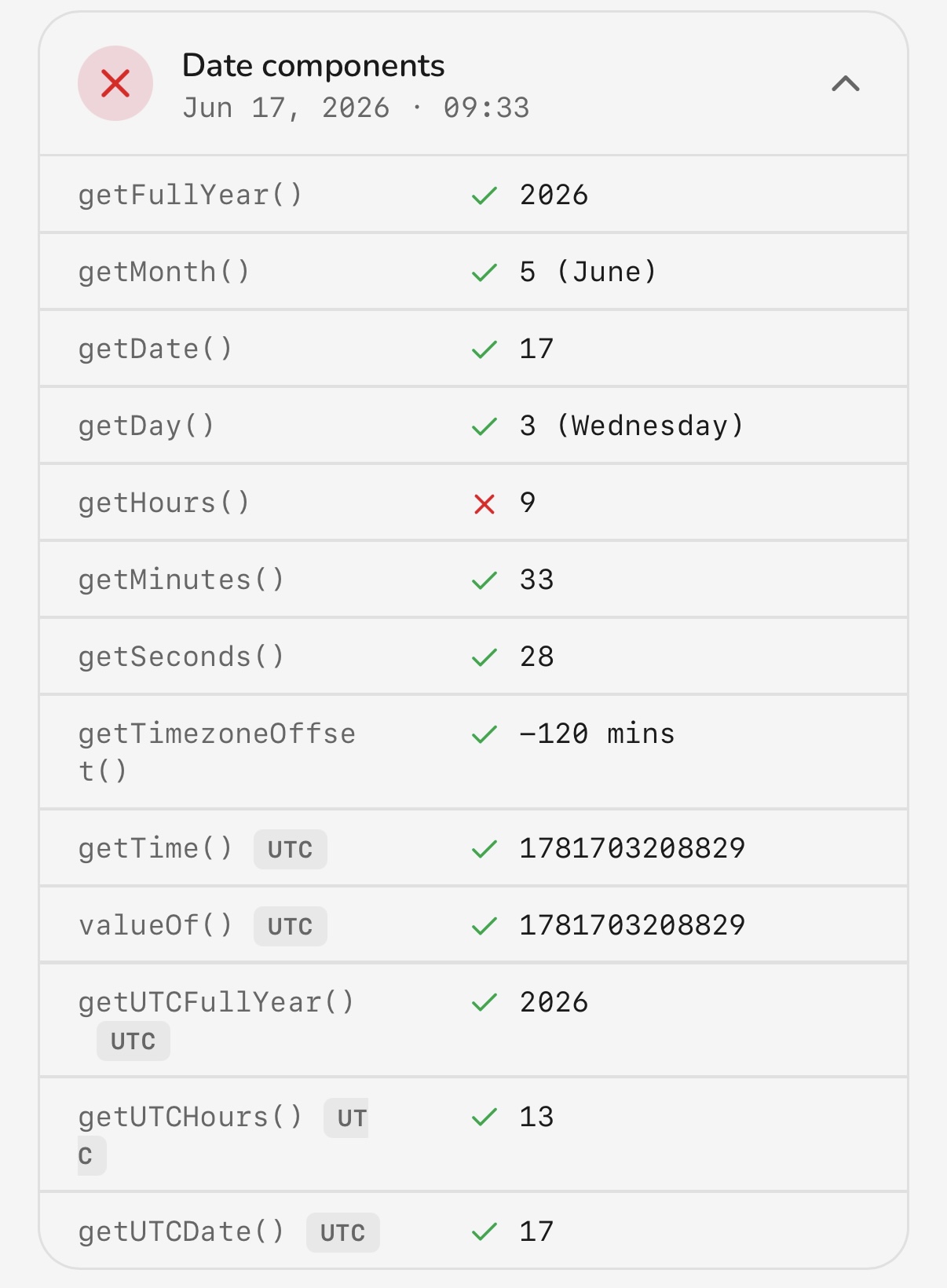 GeoSpoof is correct; Geoceptor returns wrong values from getHours/setHours.
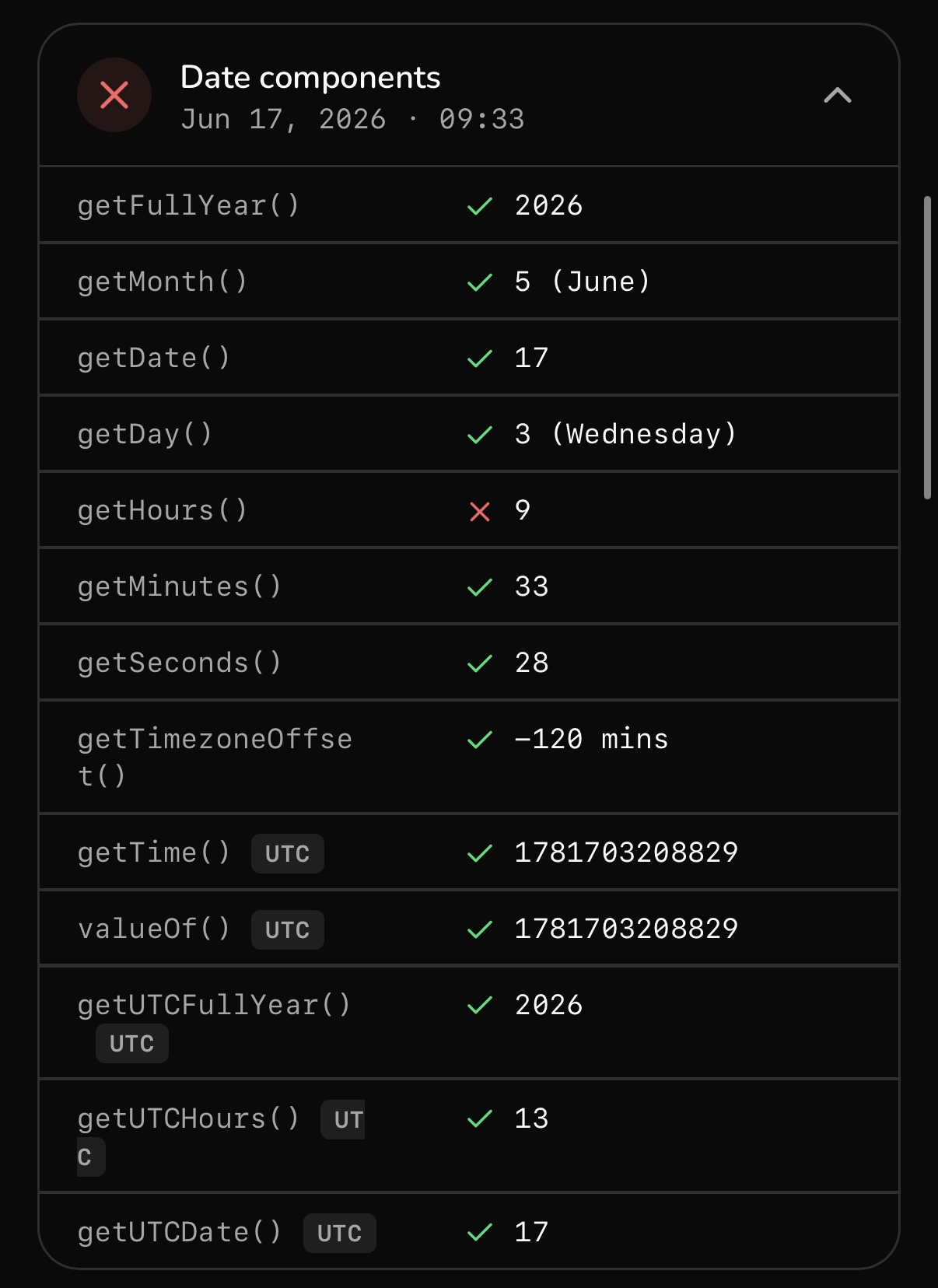
Here Geoceptor gets getHours and setHours wrong — the local-time components
don't line up with the timezone it's presenting, and the setter doesn't behave
consistently with the getter. GeoSpoof returns the correct values for both.
5. Date and time strings
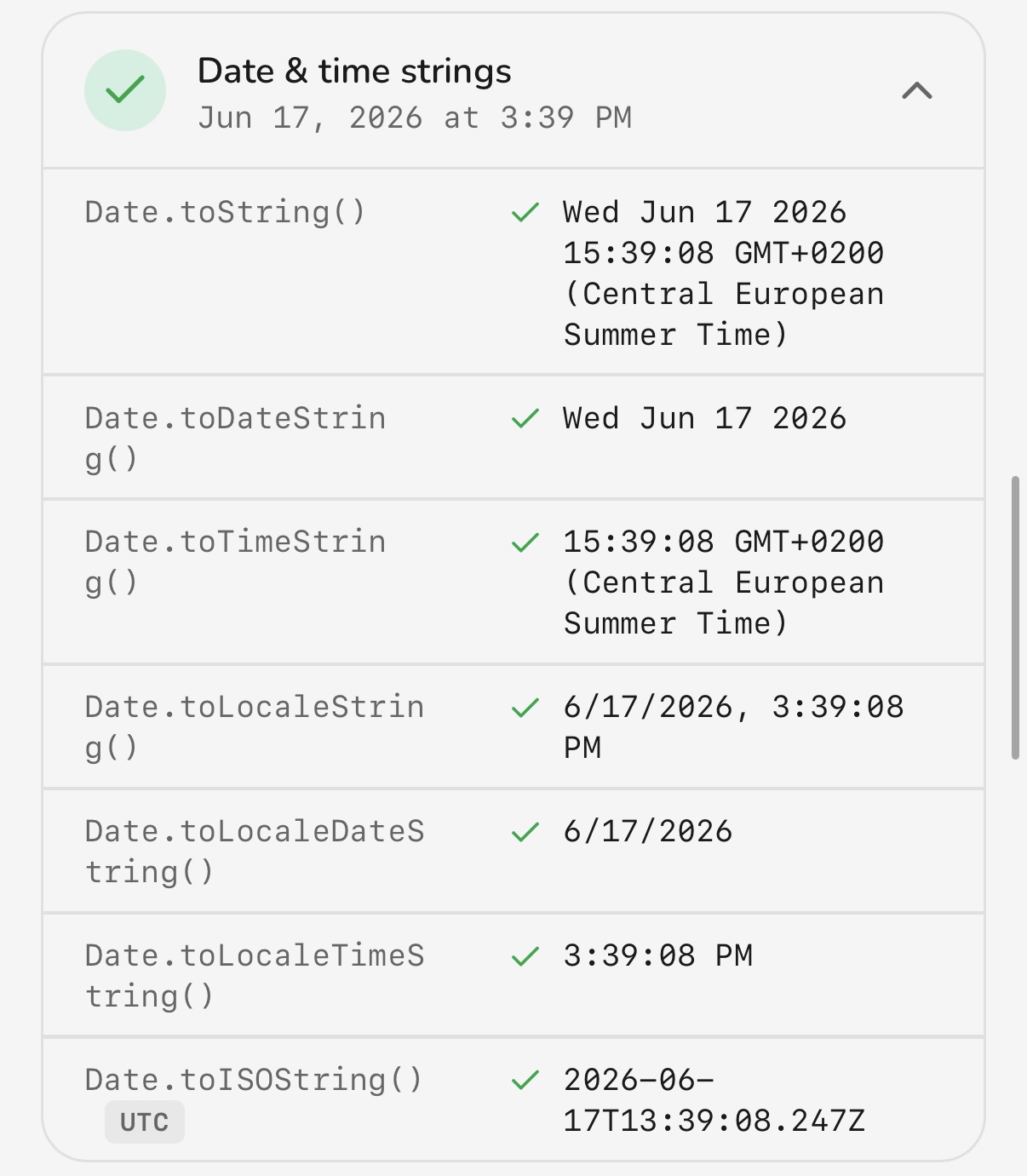
The Date object also stringifies itself, and those strings embed the timezone
name and offset in plain text. toString(), toTimeString(), and
toLocaleTimeString() all have to agree with everything above.
 Geoceptor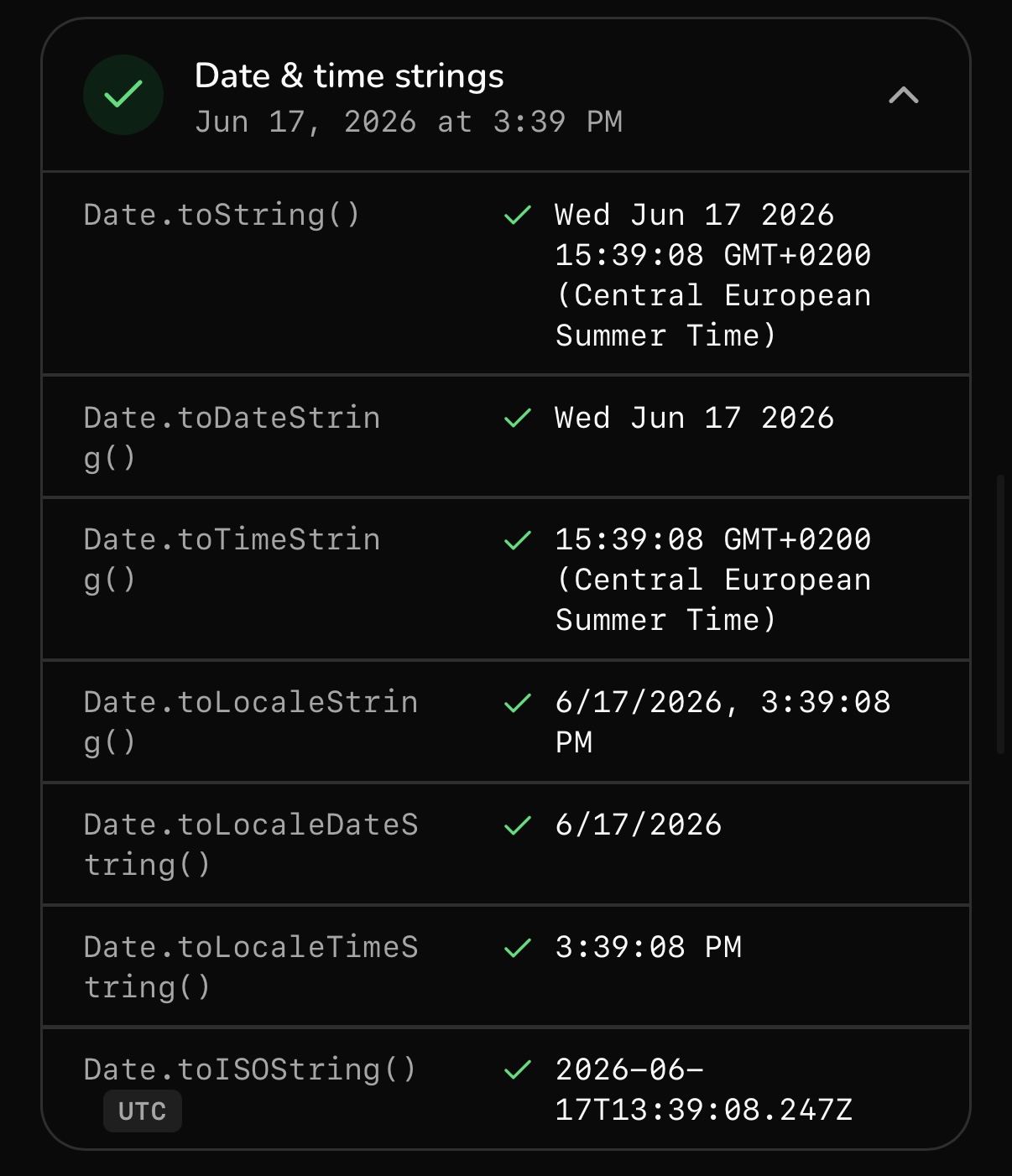
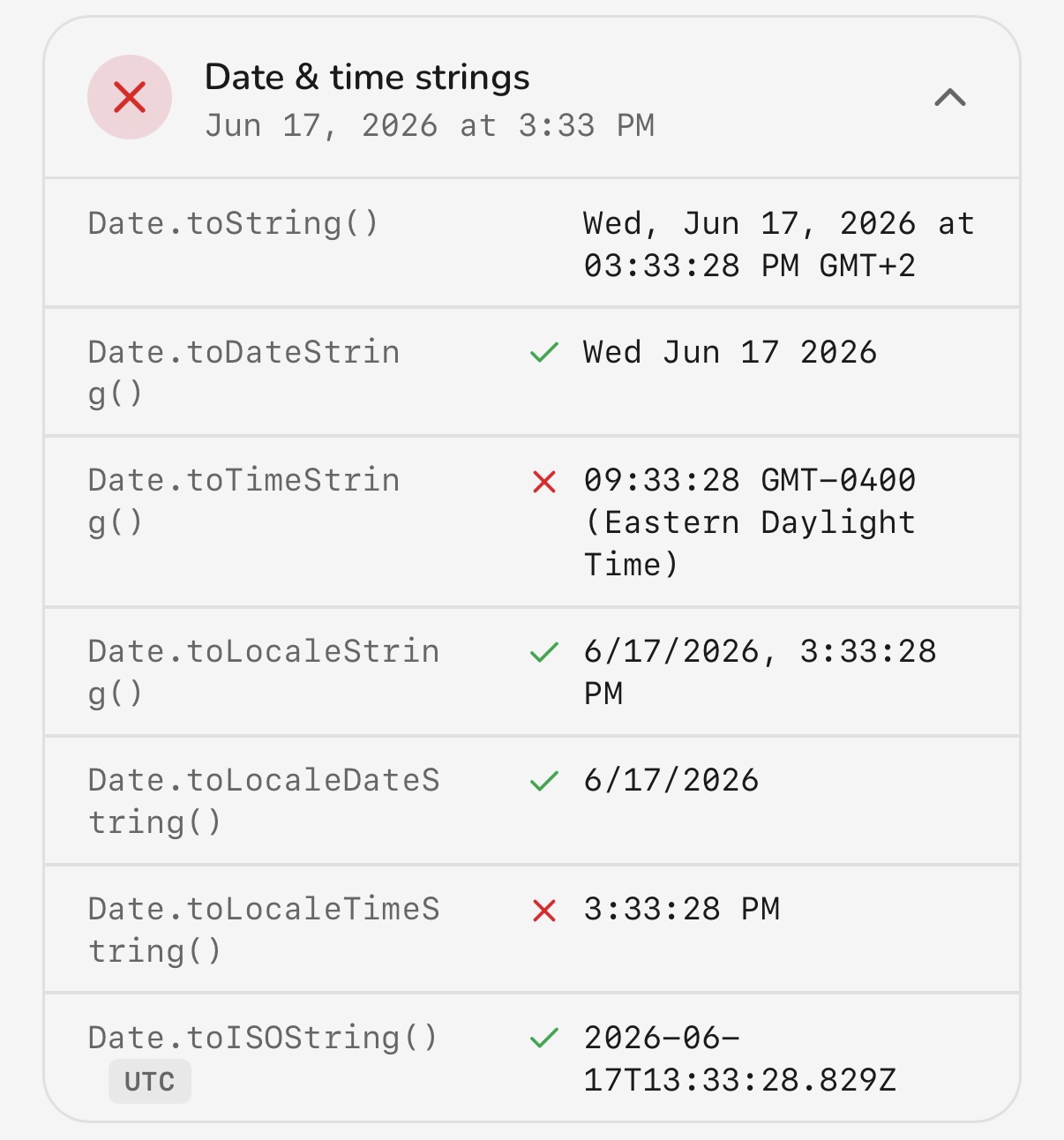 GeoSpoof's Date string methods match the spoofed zone; Geoceptor's disagree.
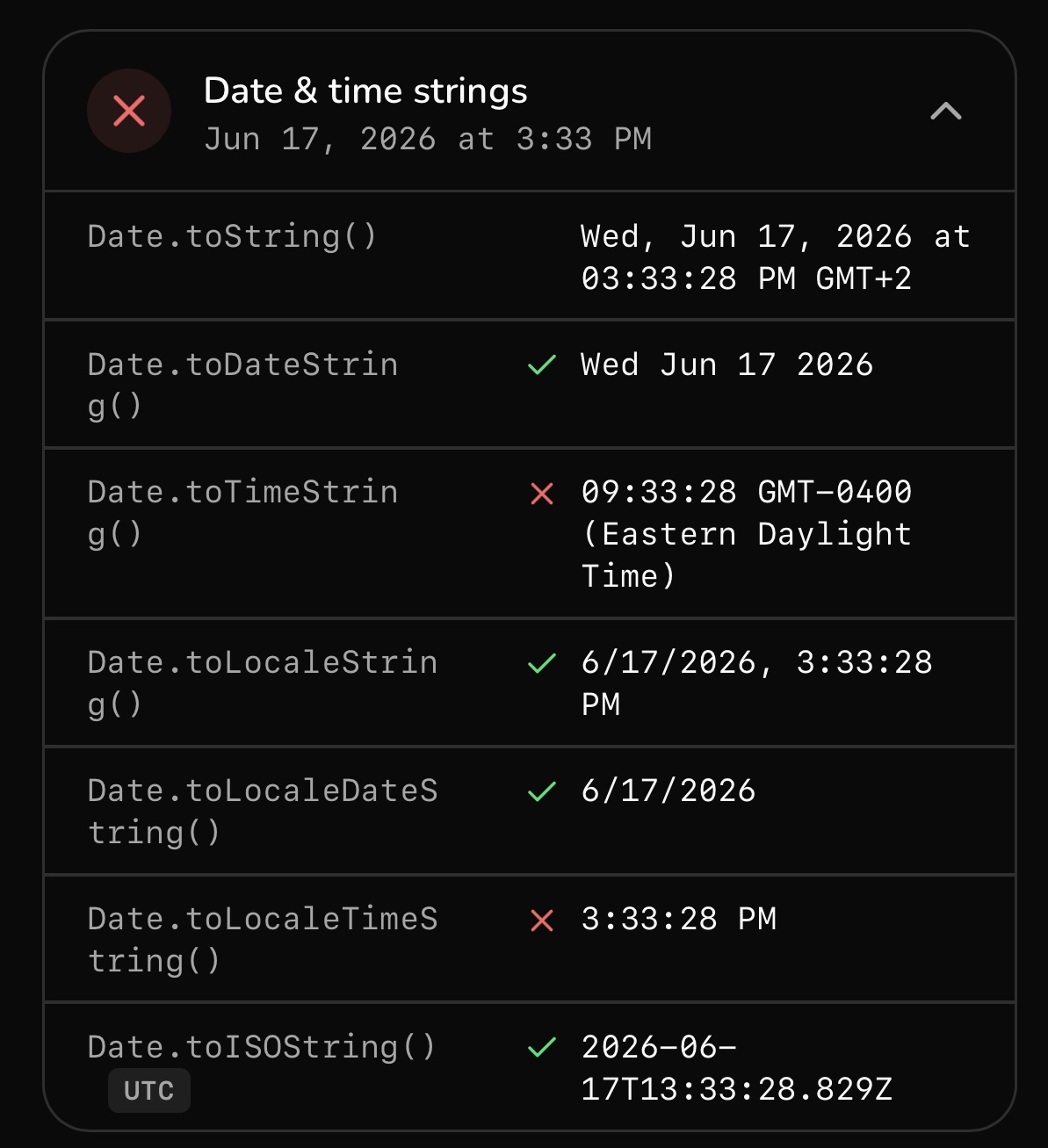
Geoceptor returns the wrong Date.toString, Date.toTimeString, and
Date.toLocaleTimeString — the strings still carry traces of the real timezone.
A script doesn't even have to call a special API for this; it just formats a date
and reads the offset out of the text. GeoSpoof gets all three right.
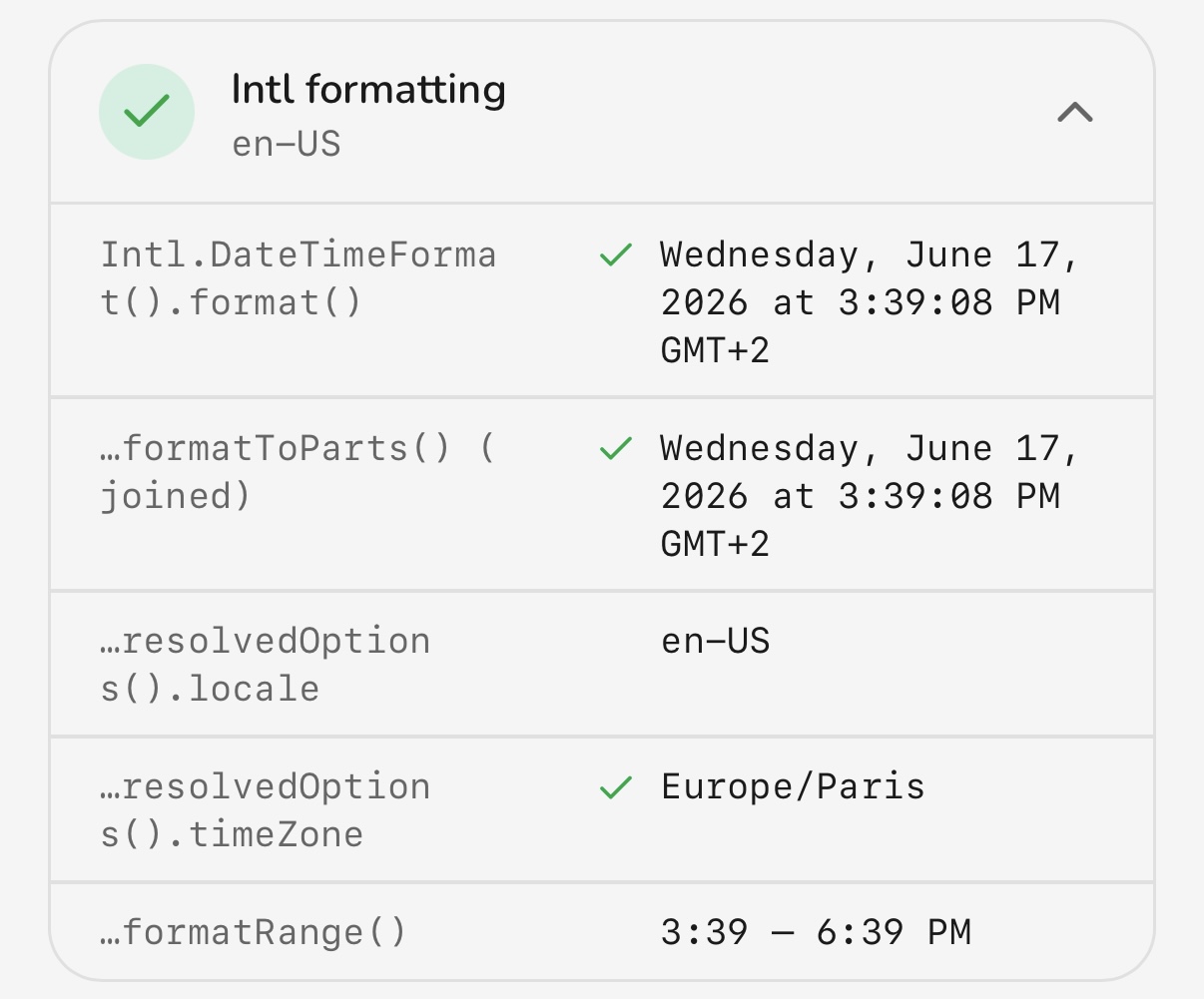
6. Intl formatting
Credit where it's due. The Intl API is another way to read the locale and
timezone, and this is the one check both extensions pass.
 Geoceptor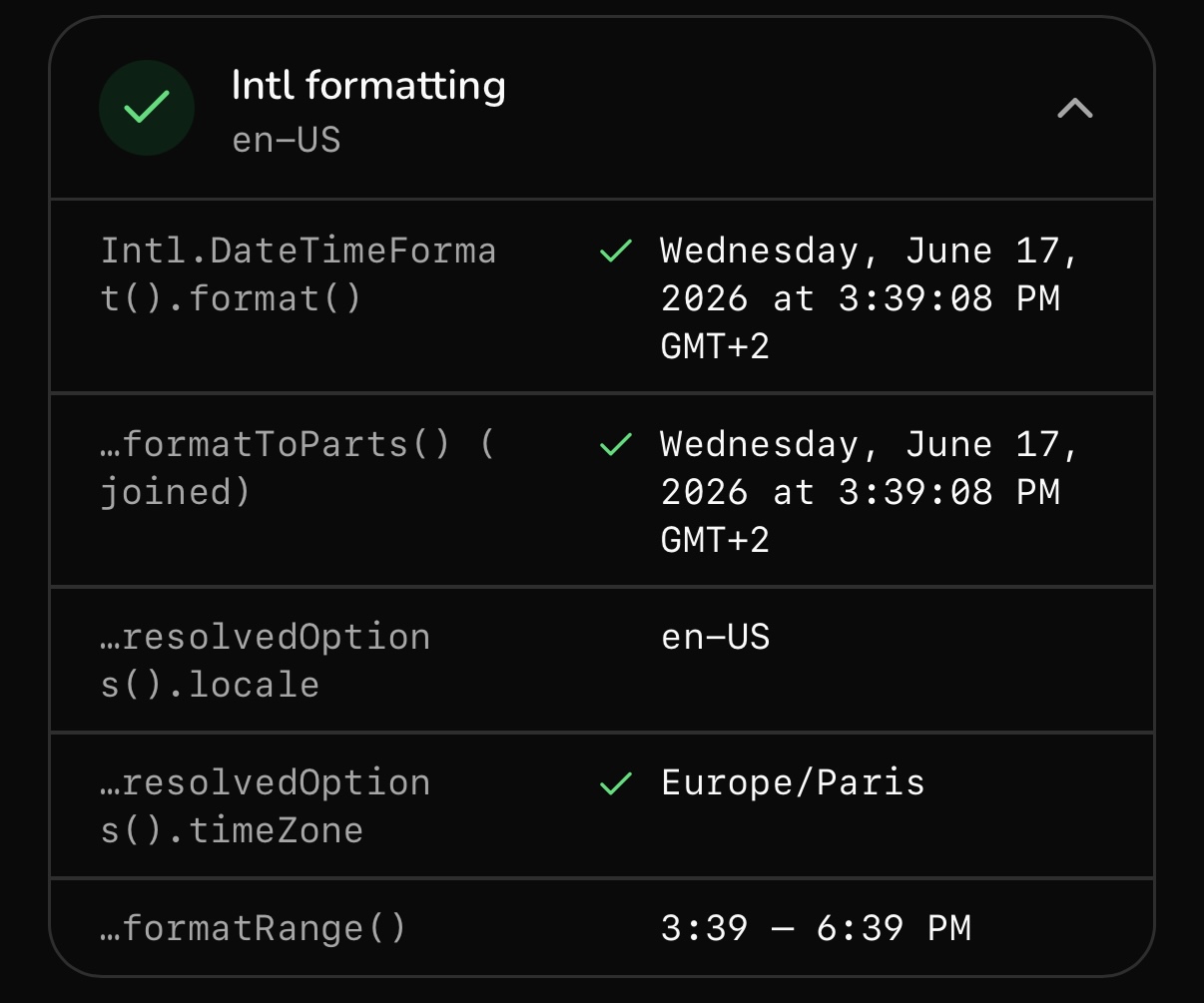
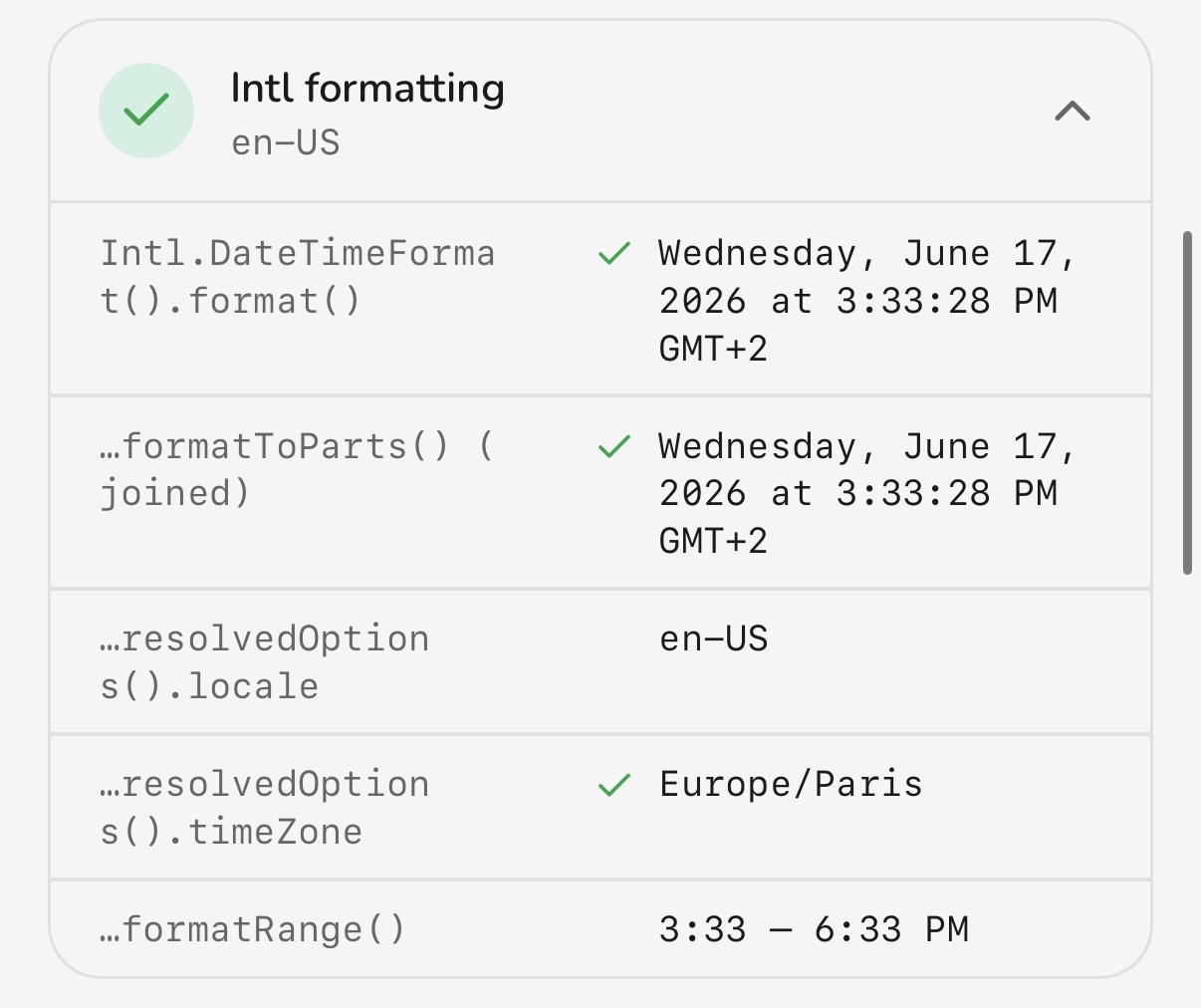 Both handle Intl formatting correctly.
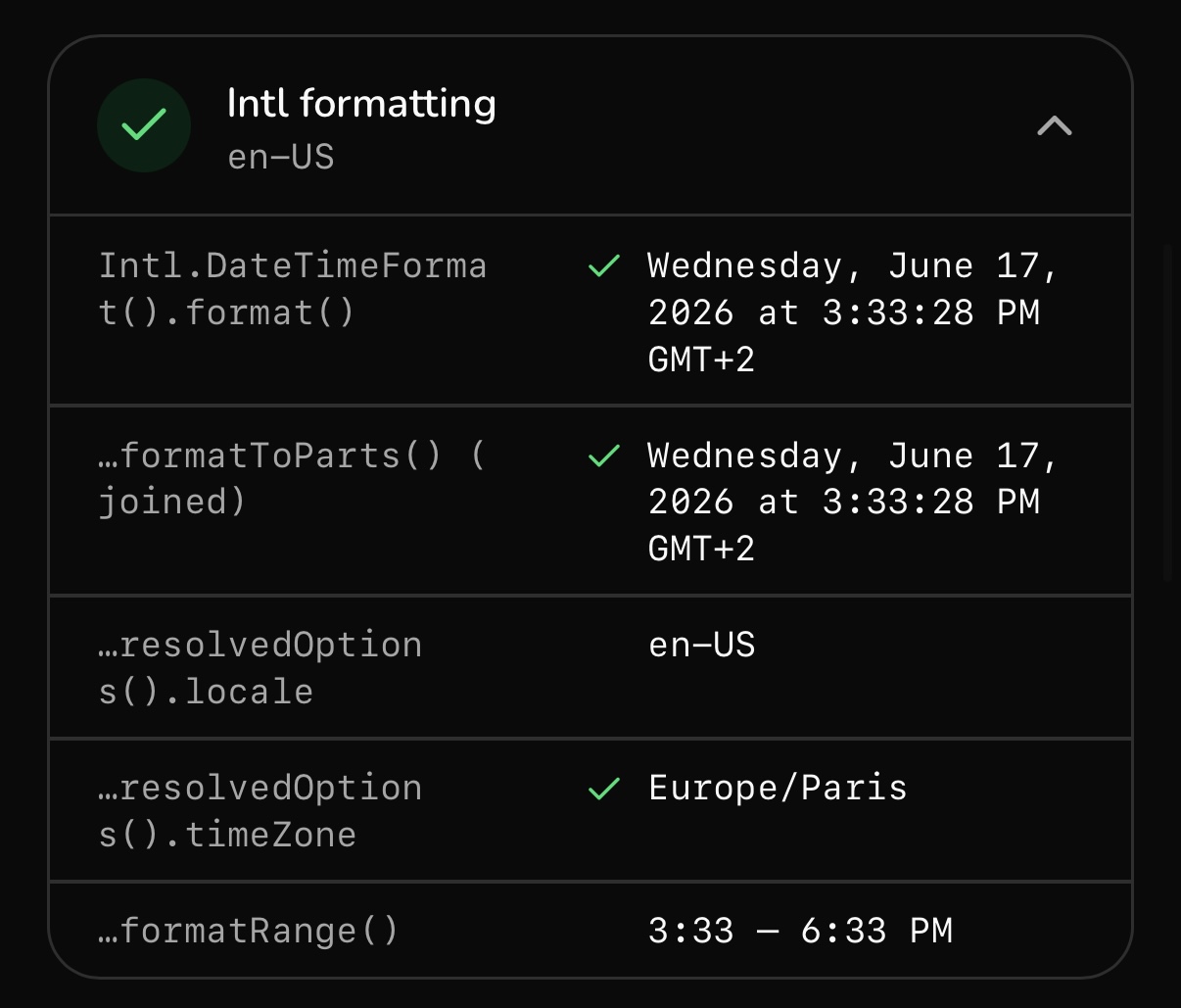
Both Geoceptor and GeoSpoof return correct Intl formatting. If Intl were the
only signal a site checked, either extension would do. It isn't, which is the
whole point of the other six sections.
7. Advanced surfaces
The last check is the exotic stuff: code running in contexts that aren't the main page. Blob URLs, data URLs, and nested workers each get their own JavaScript environment, and a spoof that only patches the top-level window leaves these wide open.
GeoSpoof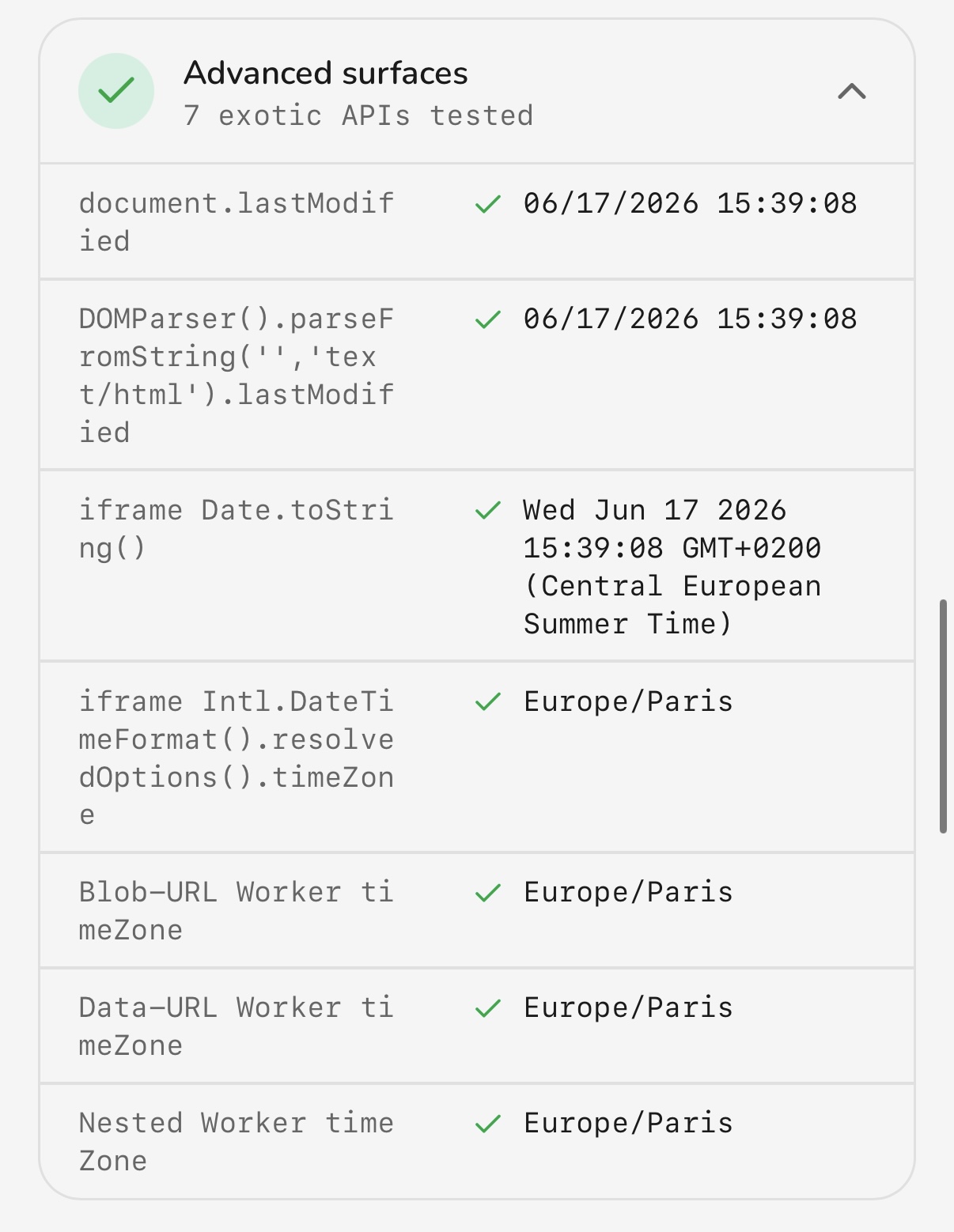 Geoceptor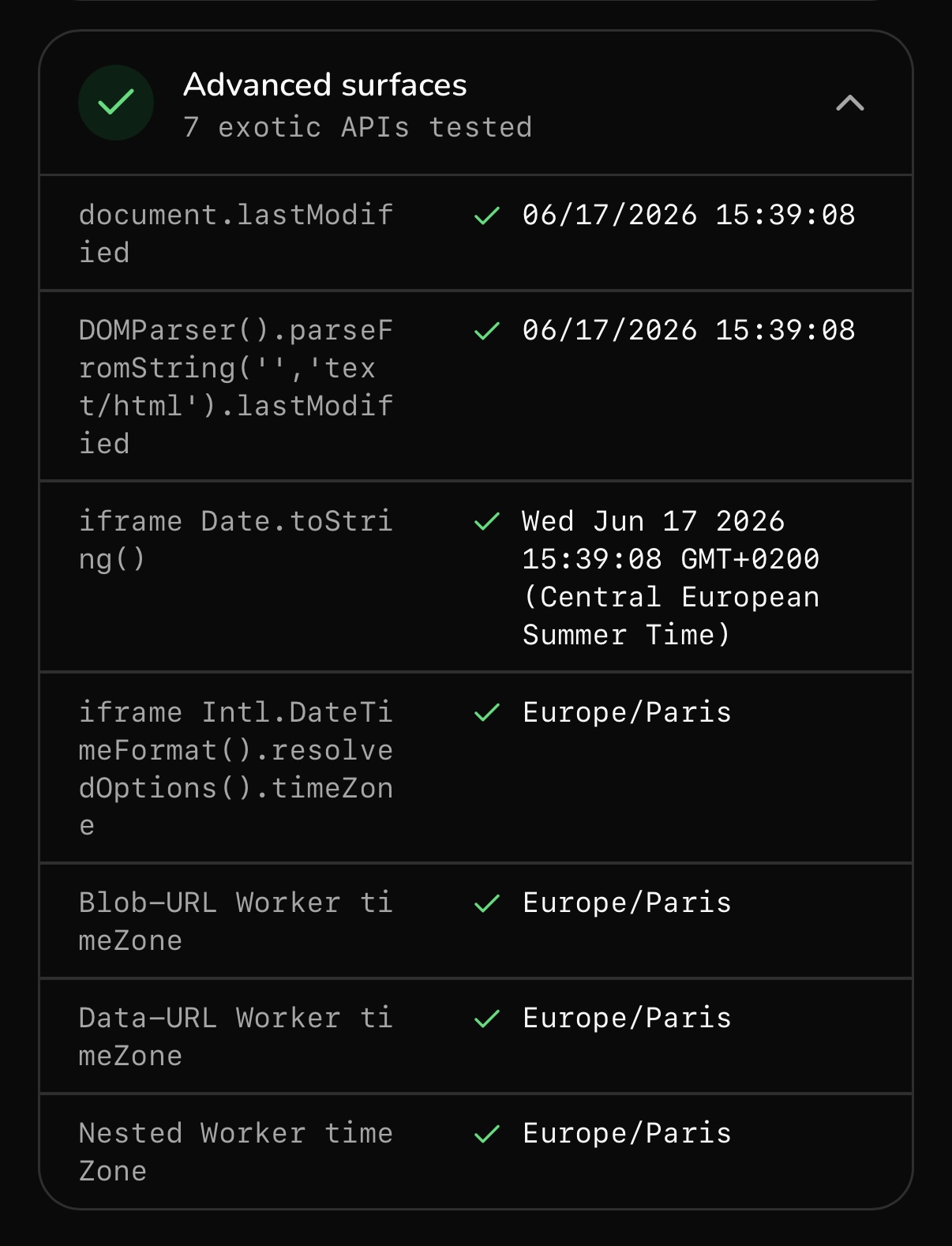
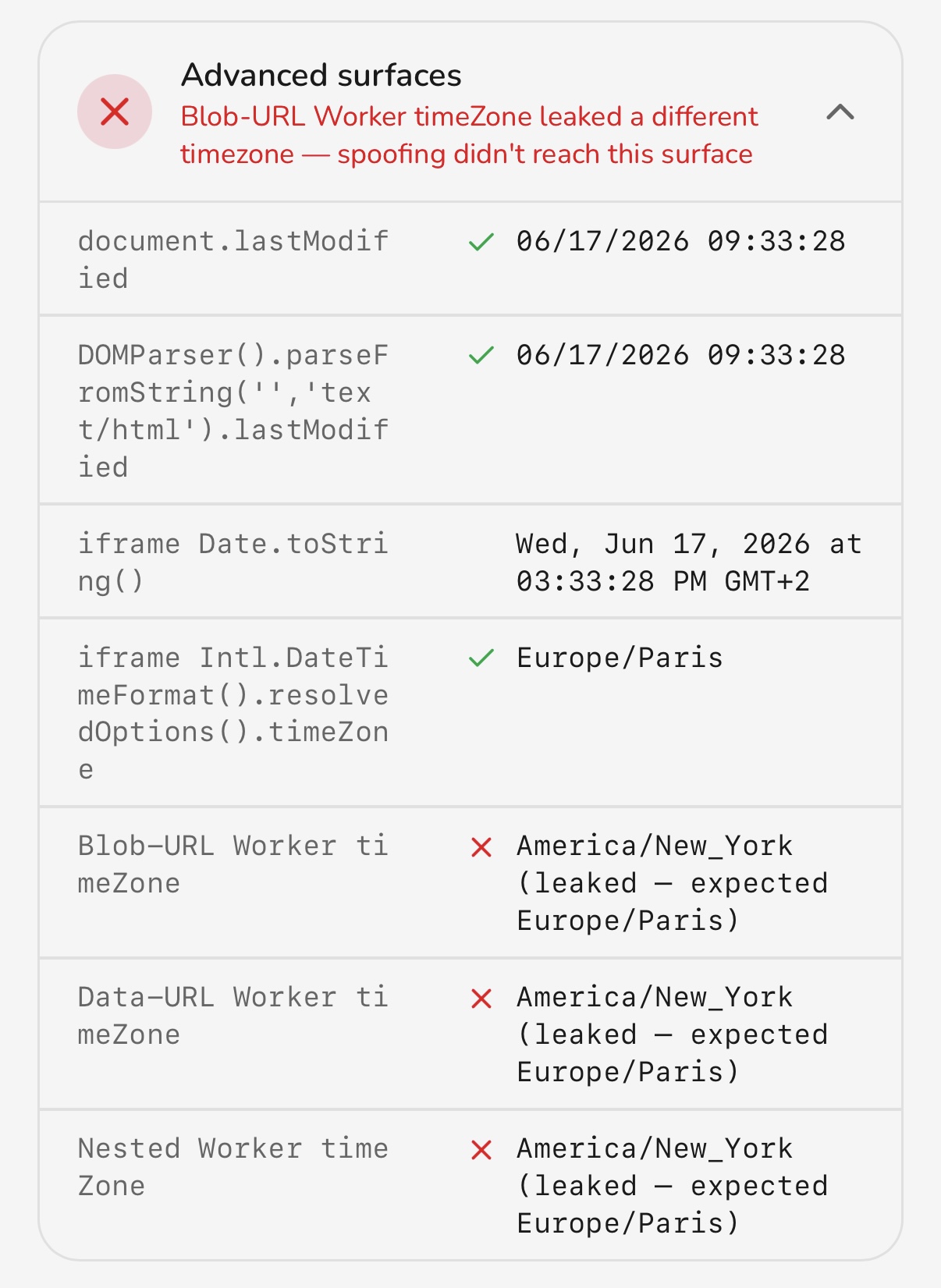 GeoSpoof covers blob-URL, data-URL, and nested workers; Geoceptor leaks through them.
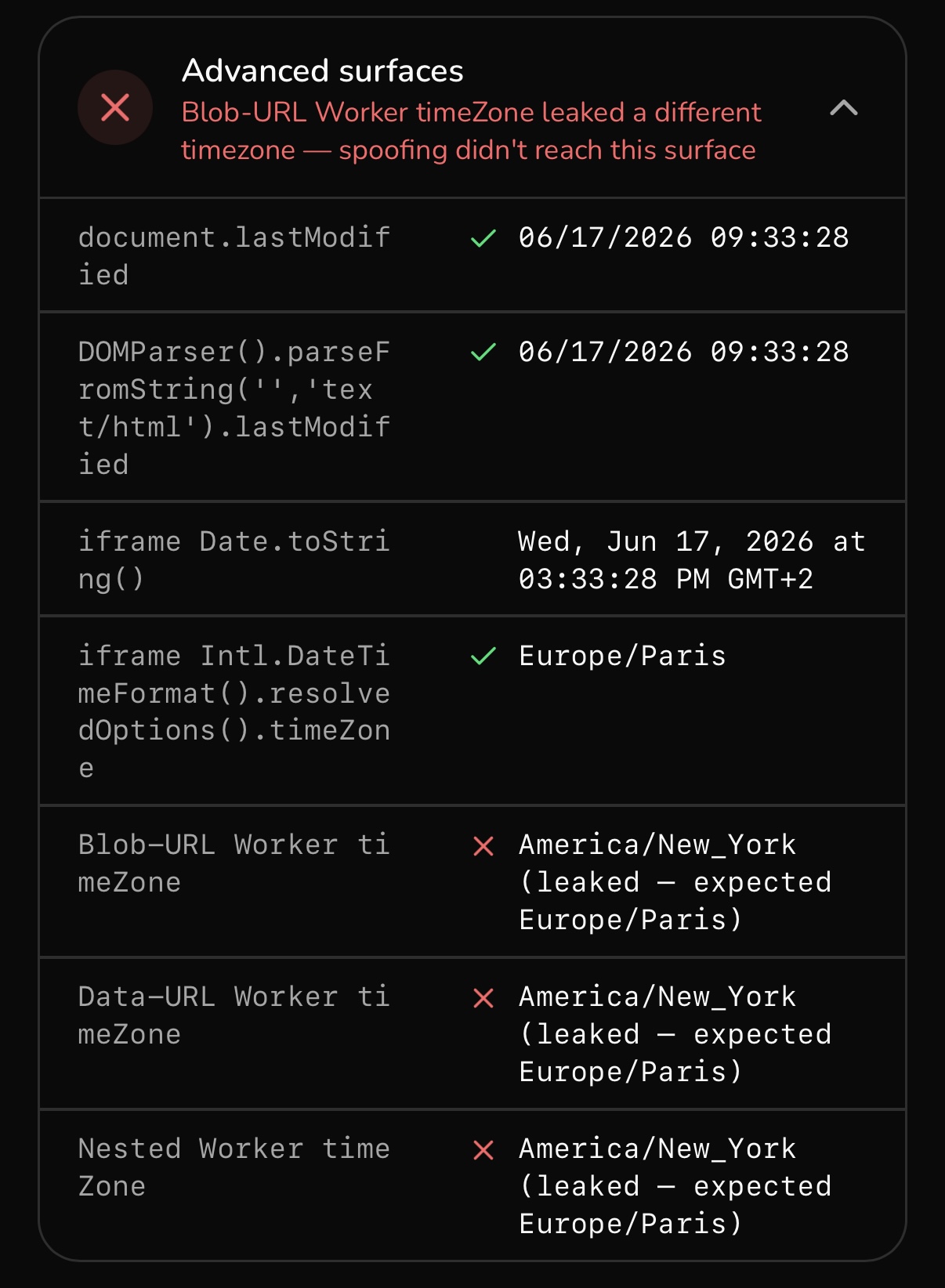
Geoceptor gets blob-URL, data-URL, and nested workers wrong — spin up a worker through one of these and it reports the real environment, undoing the spoof from inside. These are the hardest surfaces to cover, and they're where a lot of extensions stop. GeoSpoof handles all three.
The scorecard
| Signal | GeoSpoof | Geoceptor |
|---|---|---|
| Geolocation (the easy part) | Pass | Pass |
| WebRTC | Patched | Leaks real IP |
| Timezone & historical offsets | Correct | Wrong offsets |
Date components (getHours/setHours) | Correct | Wrong |
| Date & time strings | Correct | Wrong |
| Intl formatting | Pass | Pass |
| Advanced surfaces (blob/data/workers) | Covered | Leaks |
Why this matters
None of these are obscure edge cases. WebRTC leaks are the first thing a
privacy-aware site checks. Timezone offset and the Date string methods are
read by routine fingerprinting libraries without any permission prompt. Workers
are how modern apps run code off the main thread. Each leak on its own is a
contradiction, and contradictions are what get you
flagged — a site cross-checks the
signals and pounces on the one that disagrees.
That's the difference the test surfaces: Geoceptor changes the location, but the supporting signals don't all follow. GeoSpoof's whole design goal is that they do, so a site checking any of them sees one coherent location instead of a seam. If you're shopping for a Geoceptor alternative, that consistency — not the length of a feature list — is what separates the best location spoofing extension from one that just moves the map pin.
Try it yourself
Don't take our screenshots for it. Install GeoSpoof, point it somewhere, and run the browser location test. The page checks the same signals against whatever you have active and shows you exactly which ones hold up.
GeoSpoof is free on Firefox, Chrome (and Brave/Edge), and the App Store for iPhone, iPad, and Mac:
FirefoxDesktop & AndroidAdd to Firefox →ChromeChrome, Brave & EdgeAdd to Chrome →iPhone, iPad & MacSafari via the App StoreGet on the App Store →We tested Geoceptor as it behaved on the date of this post; extensions change, and a later version may close some of these gaps. The test page is public, so you can always re-run the comparison yourself and see the current state.
Frequently asked questions
- Is GeoSpoof a good Geoceptor alternative?
- Yes. In our signal-by-signal test both extensions spoofed geolocation and passed Intl formatting, but GeoSpoof also kept WebRTC, timezone offsets, the Date methods, and worker surfaces consistent — the signals where Geoceptor leaked. If you want a Geoceptor alternative that holds up to a full fingerprint check rather than just moving the map pin, GeoSpoof is the stronger option.
- Does Geoceptor leak your real IP address?
- In our test Geoceptor left WebRTC unprotected, so the real public IP was still exposed even with a location set. WebRTC bypasses a spoofed geolocation entirely, which is why it's the most important surface to patch and the first thing a privacy-aware site checks.
- What is the best location spoofing extension?
- The best location spoofing extension keeps every fingerprinting signal consistent, not just the geolocation API. On our seven-signal test GeoSpoof passed all of them; many extensions, including Geoceptor in our run, change the location but leak WebRTC, timezone offsets, or worker contexts — and a single mismatch is enough to flag a spoof.
- Can a website tell that you are spoofing your location?
- Yes, if any signal disagrees. Sites cross-check the geolocation API against WebRTC, the timezone offset, individual Date methods, and code running in workers; one contradiction reveals the spoof. Avoiding detection depends on every signal telling the same story, which is what our verify page tests for.
- Why do timezone offsets matter when spoofing your location?
- Websites read your timezone and UTC offset straight from JavaScript. If they point at a different region than your spoofed geolocation, that contradiction flags you — and the offset has to be correct for any date, not just today, because daylight-saving rules have changed over the years.
- What browsers does GeoSpoof support?
- GeoSpoof is free on Firefox (desktop and Android), Chrome and other Chromium browsers like Brave and Edge, and on the App Store for Safari on iPhone, iPad, and Mac. So whichever browser you were using Geoceptor in, there's a GeoSpoof build for it.