Why Your Timezone Reveals Your Location

Your browser exposes your timezone through JavaScript APIs like Intl.DateTimeFormat().resolvedOptions().timeZone and Date.getTimezoneOffset(). A site can read this in milliseconds without any permission prompt, so even if you block or spoof GPS geolocation, a mismatched timezone still narrows down your real region. To fix it you must override the timezone APIs to match your spoofed location, which GeoSpoof does automatically.
The way you find out is usually pretty boring. You're checking a flight price, VPN on, maybe you've even set your browser location to somewhere cheaper, and the number just won't move. The permission prompt never came up. You didn't grant anything. And the site still knows you're not really in Lisbon, because while you were busy with the obvious stuff, your clock went and answered a question nobody asked it.
 Every developer's relationship with timezones.
How a website reads your timezone
Geolocation is the honest part of the browser. It waits for the pop-up. The timezone APIs don't bother with any of that, they just answer.
Two lines of JavaScript do most of the damage:
Intl.DateTimeFormat().resolvedOptions().timeZonehands back an IANA name likeAmerica/New_York.new Date().getTimezoneOffset()gives the offset from UTC in minutes.
Both resolve the instant the page loads. There's no click to approve because nobody ever built one.
Why this leaks your location
On its own a timezone is a blunt instrument. America/New_York narrows you to
about a third of a continent, which sounds harmless right up until it gets
stacked with your language settings and your IP, at which point the guess stops
really being a guess.
The part that actually gets people is consistency. Say you spoof your
coordinates to Tokyo but your browser keeps cheerfully reporting
America/Chicago. Now you're not a person in Tokyo. You're a person in Tokyo
whose clock is set to the Midwest, which is a much weirder and more memorable
thing to be, and a lot easier to flag than if you'd just left your real location
alone.
Where timezone leaks hide
Patching the obvious Date and Intl calls feels like the whole job. It isn't,
and this is where most half-built spoofers quietly fall apart.
- Web Workers run their own JavaScript context, with their own view of the timezone, completely indifferent to whatever you fixed on the main page.
- The Temporal API, the newer date and time standard, is one more surface that has to be told the same story.
- WebRTC can leak network details that corroborate where you actually are.
So the bar isn't "override Date." It's override Date everywhere it quietly
lives.
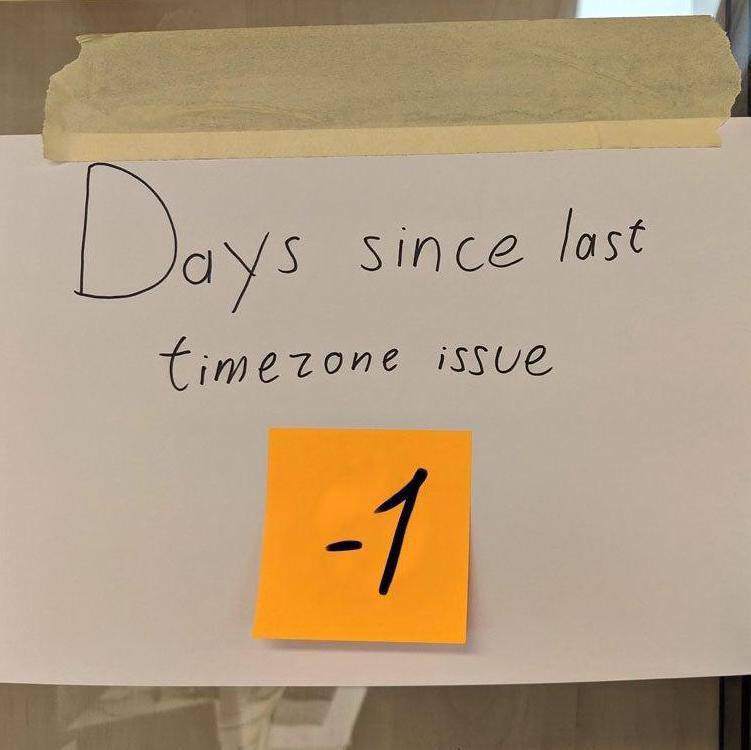 There's always one more place the timezone leaks through.
What it actually took to patch all of it
We didn't find most of these by being clever. We found them by running arkenfox's TZP, a timezone-privacy test that exists specifically to make you feel bad about your browser, and then fixing whatever it lit up. The list got long.
The polite ones went first: getTimezoneOffset, the Date string methods,
Intl.DateTimeFormat().resolvedOptions(). Then it kept going. formatToParts
and formatRange on Intl.DateTimeFormat both quietly carry the zone. Temporal
has its own way in, through offsetNanoseconds and, of all things, the
Symbol.toPrimitive hook. Workers and iframes each spin up a fresh JavaScript
realm that has never heard of anything you fixed in the main one, so you fix it
again, in there, every time a new one opens.
Then there's the tier that made me close the laptop and go for a walk.
document.lastModified formats its date in local time. So does DOMParser, by
way of parseFromString and parseHTMLUnsafe. XSLT and EXSLT can format dates,
which means an XML transform of all things can leak your zone. And
TypedArray.prototype.toLocaleString, a method I did not know existed and now
think about more than I'd like, will happily out you if you call it the wrong
way. None of these are things a reasonable person would think to check, which is
exactly why they were still leaking.
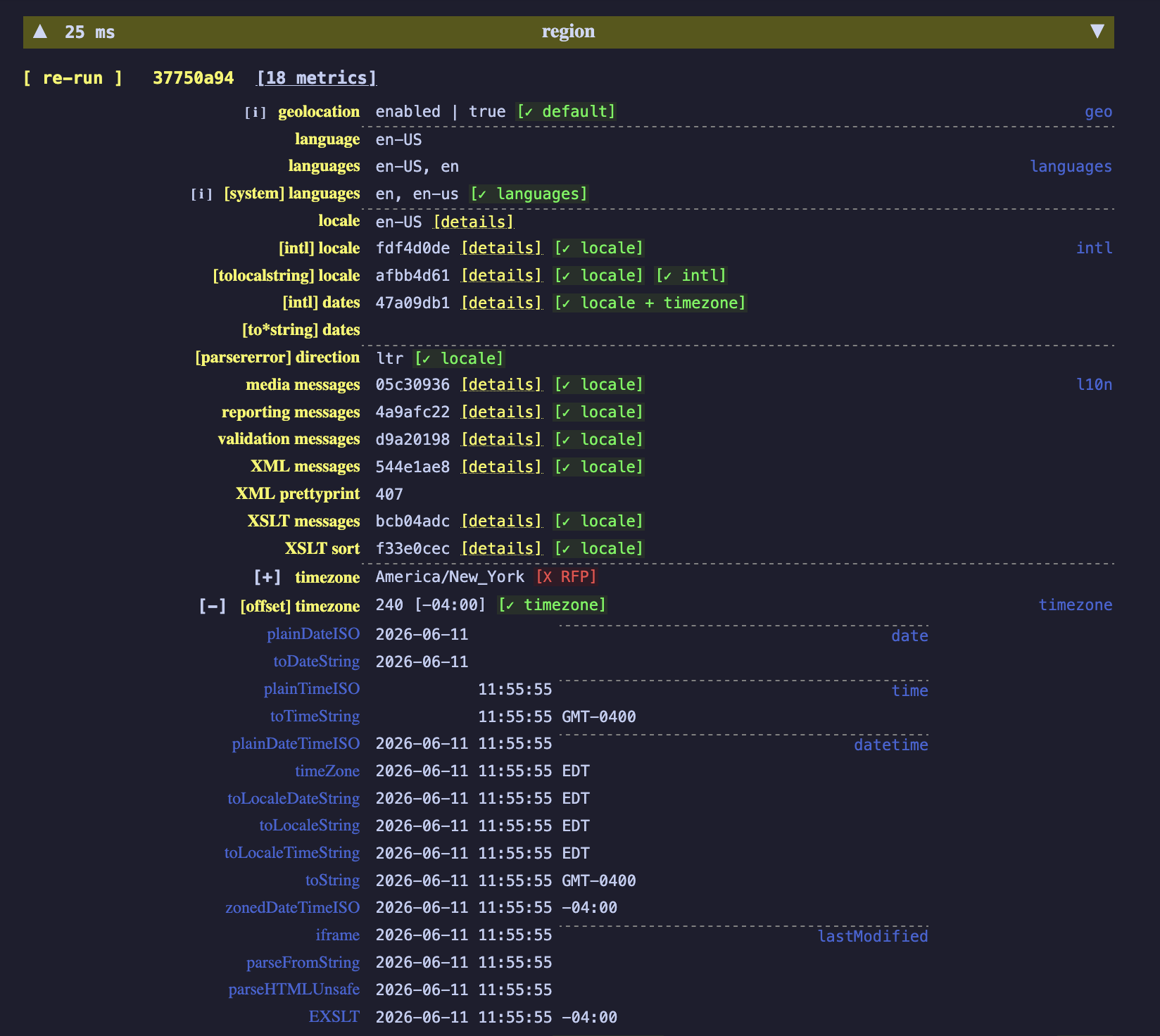 arkenfox's TZP test, otherwise known as the to-do list.
The screenshot isn't really about any single row. It's that there are that many rows. "Spoof the timezone" sounds like one setting you flip. In practice it's a few dozen surfaces that all have to agree on the same answer, and the one you forget is the one that gives you away.
How to fix the timezone leak
The fix is unglamorous: make every one of those APIs report a timezone that
matches the location you're claiming. GeoSpoof works out the correct IANA
timezone for your chosen coordinates and overrides Date, Intl, and Temporal,
Web Workers included, so the clock stops contradicting the map.
The one thing none of this touches is your IP address. For the location to actually hold up, pair the spoofed coordinates and timezone with a VPN in the same region. More on that in location spoofing vs VPN.
If you want the full list of APIs GeoSpoof rewrites, it's in the privacy policy.